56 Using the Keyboard and Touch Pad
www.dell.com | support.dell.com
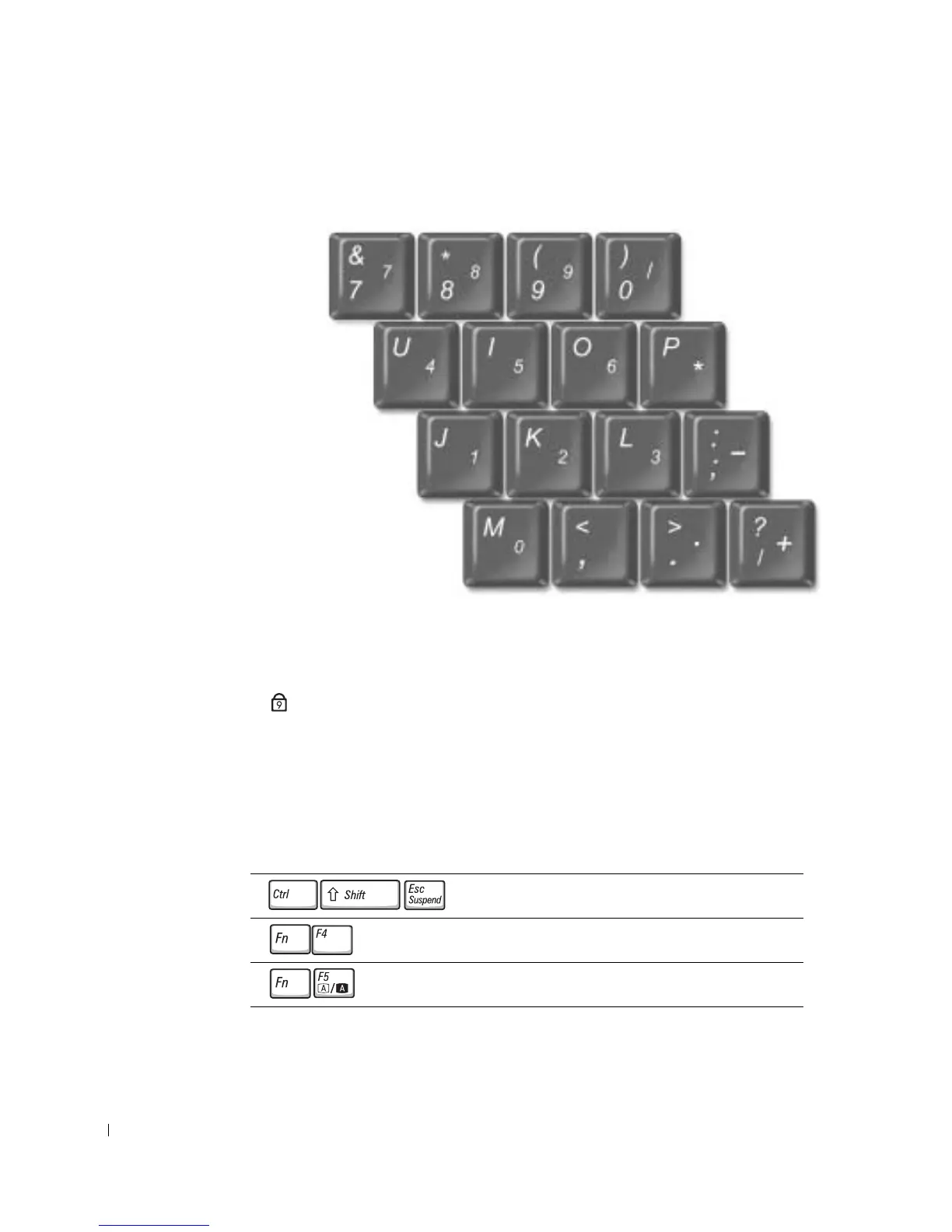
Numeric Keypad
The numeric keypad functions like the numeric keypad on an external keyboard. Each key
on the keypad has multiple functions.
• To enable the numbers lock (Num Lk) keypad, hold down <Fn> and press <F4>.
The light indicates that the Num Lk keypad function is active.
• To disable the keypad, press <Fn><F4> again.
Keyboard Shortcuts
System Functions
Opens the Windows Task Manager window.
Enables and disables the numeric keypad.
Enables and disables the scroll lock.
9










 To Next Page