58 Using the Keyboard and Touch Pad
www.dell.com | support.dell.com
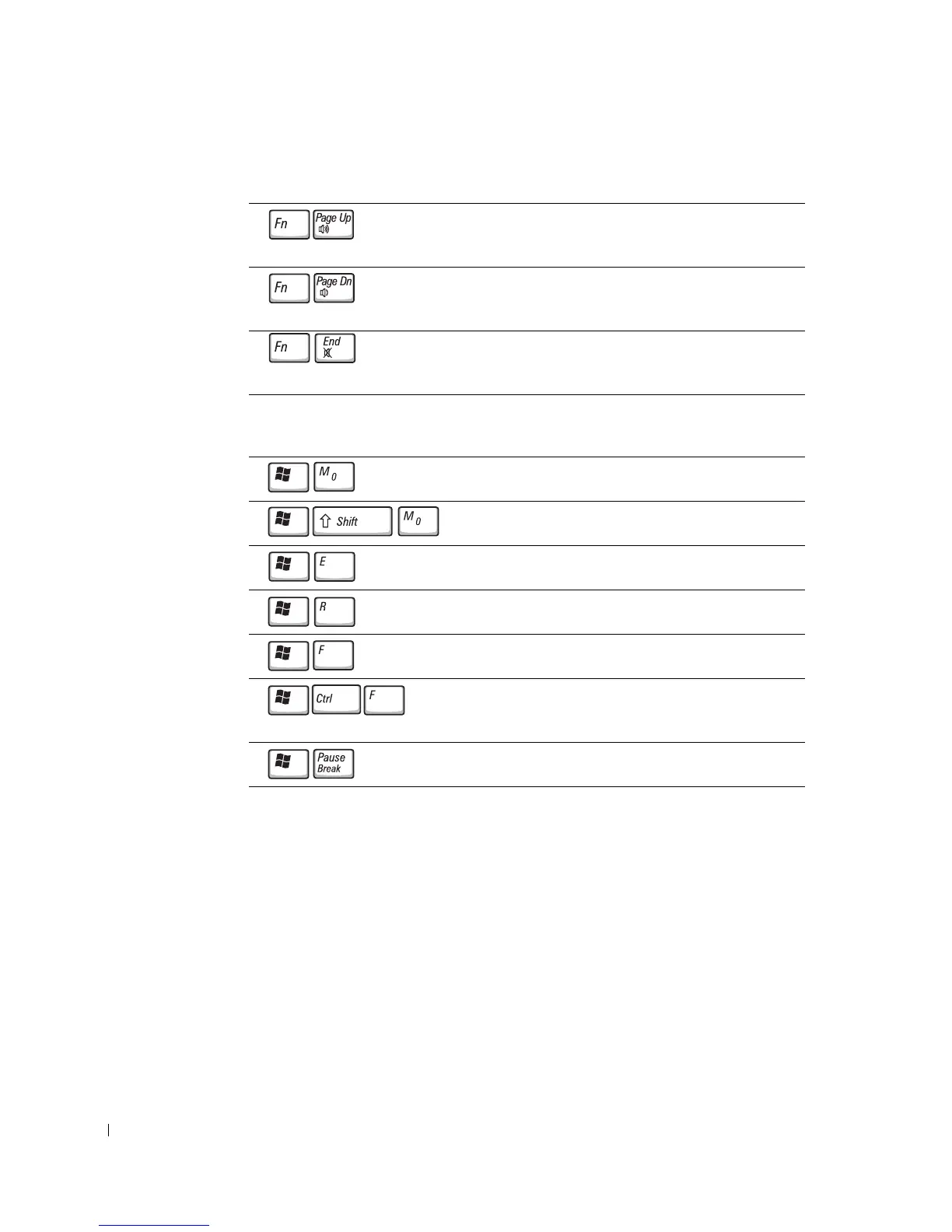
Speaker Functions
Microsoft
®
Windows
®
Logo Key Functions
To adjust keyboard operation, such as the character repeat rate, open the Control Panel,
click Printers and Other Hardware, and click Keyboard.
Increases the volume of the integrated speakers and
external speakers, if attached.
Decreases the volume of the integrated speakers and
external speakers, if attached.
Enables and disables the integrated speakers and
external speakers, if attached.
Minimizes all open windows.
Maximizes all windows.
Runs Windows Explorer.
Opens the Run dialog box.
Opens the Search Results dialog box.
Opens the Search Results-Computer dialog box (if
the computer is connected to a network).
Opens the System Properties dialog box.










 To Next Page