112 Adding and Replacing Parts
www.dell.com | support.dell.com
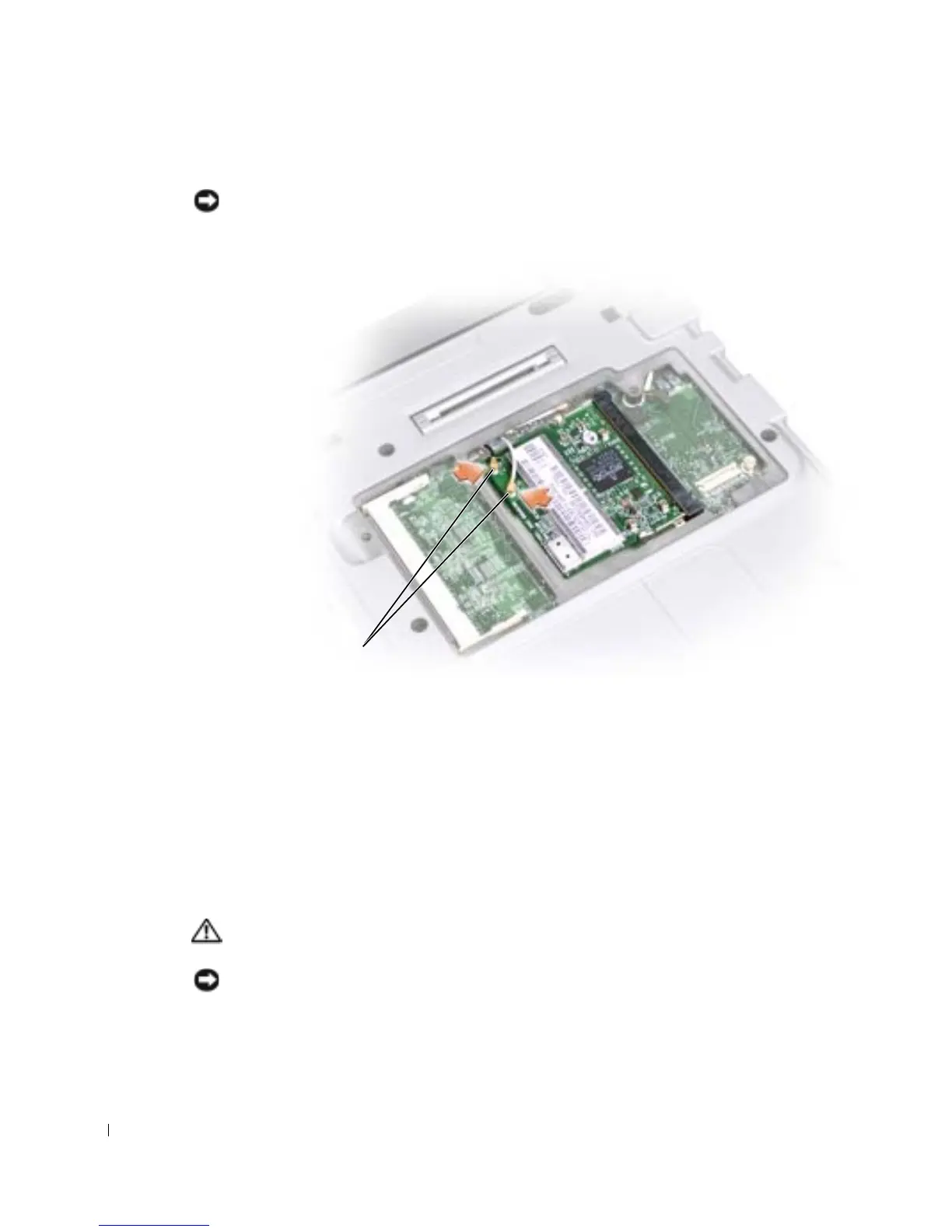
10 Connect the antenna cable to the antenna connector on the Mini PCI card.
NOTICE: The connectors are keyed for correct insertion. If you feel resistance, check the
connectors and realign the card.
11
Lower the Mini PCI card toward the inner tabs to approximately a 20-degree angle.
12 Continue lowering the Mini PCI card until it snaps into the inner tabs of the
connector.
13 Replace the cover and tighten the screws.
Adding a Modem
If you ordered the optional modem at the same time that you ordered your computer, the
modem is already installed.
CAUTION: Before working inside your computer, read the safety instructions on
page 9.
NOTICE: Handle components and cards by their edges, and avoid touching pins and contacts.
cable connectors










 To Next Page