NOTE: This slot supports only M.2 2280 PCIe Gen4 Solid-state drive and does not support any Optane, SATA, or M.2 2230
Solid-state drive.
If you are replacing a component, remove the existing component before performing the installation procedure.
About this task
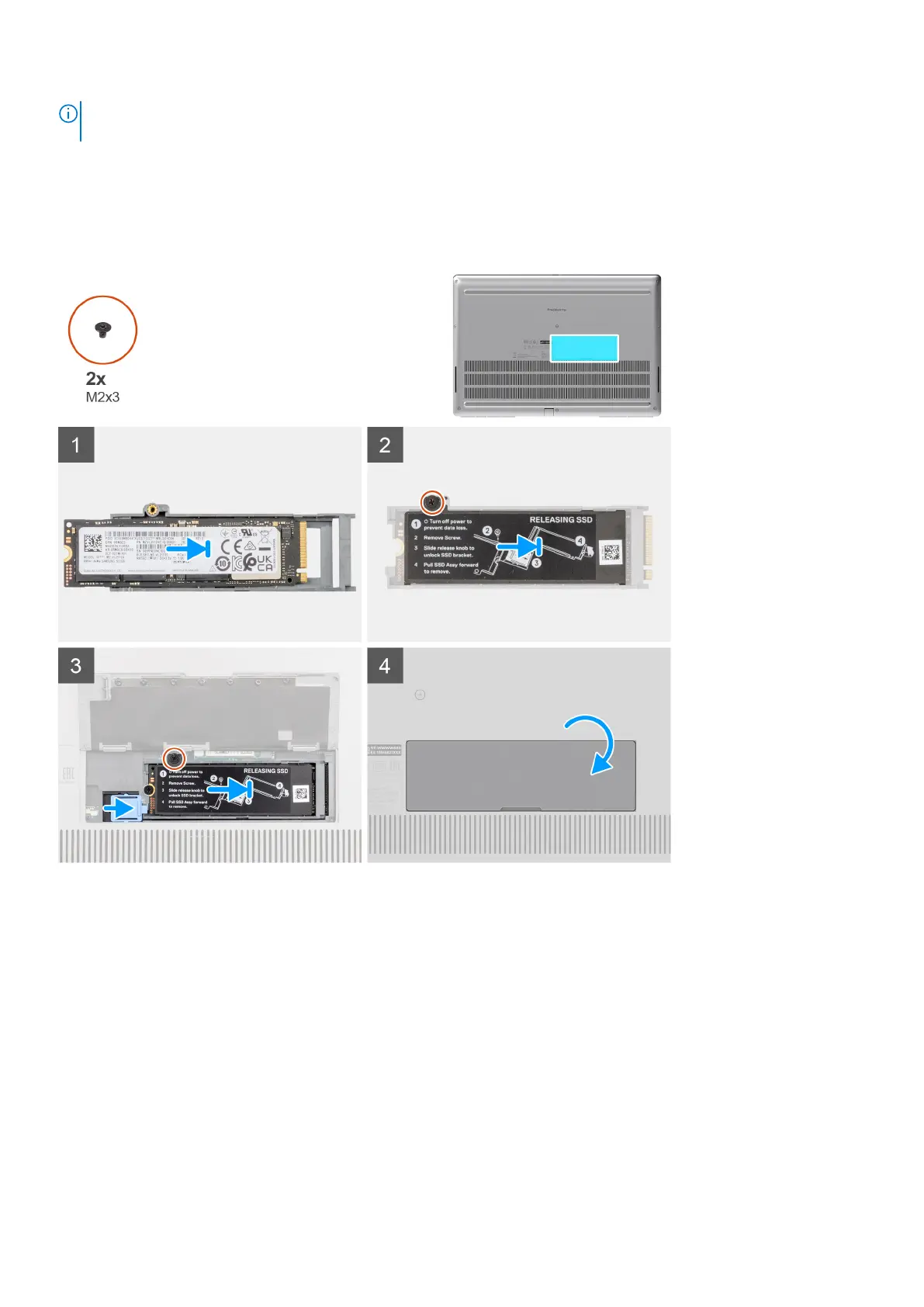
The figure indicates the location of the secondary M.2 SSD and provides a visual representation of the installation procedure.
For computers with SSD door configuration
For computers without SSD door configuration
Removing and installing components
19















 To Next Page