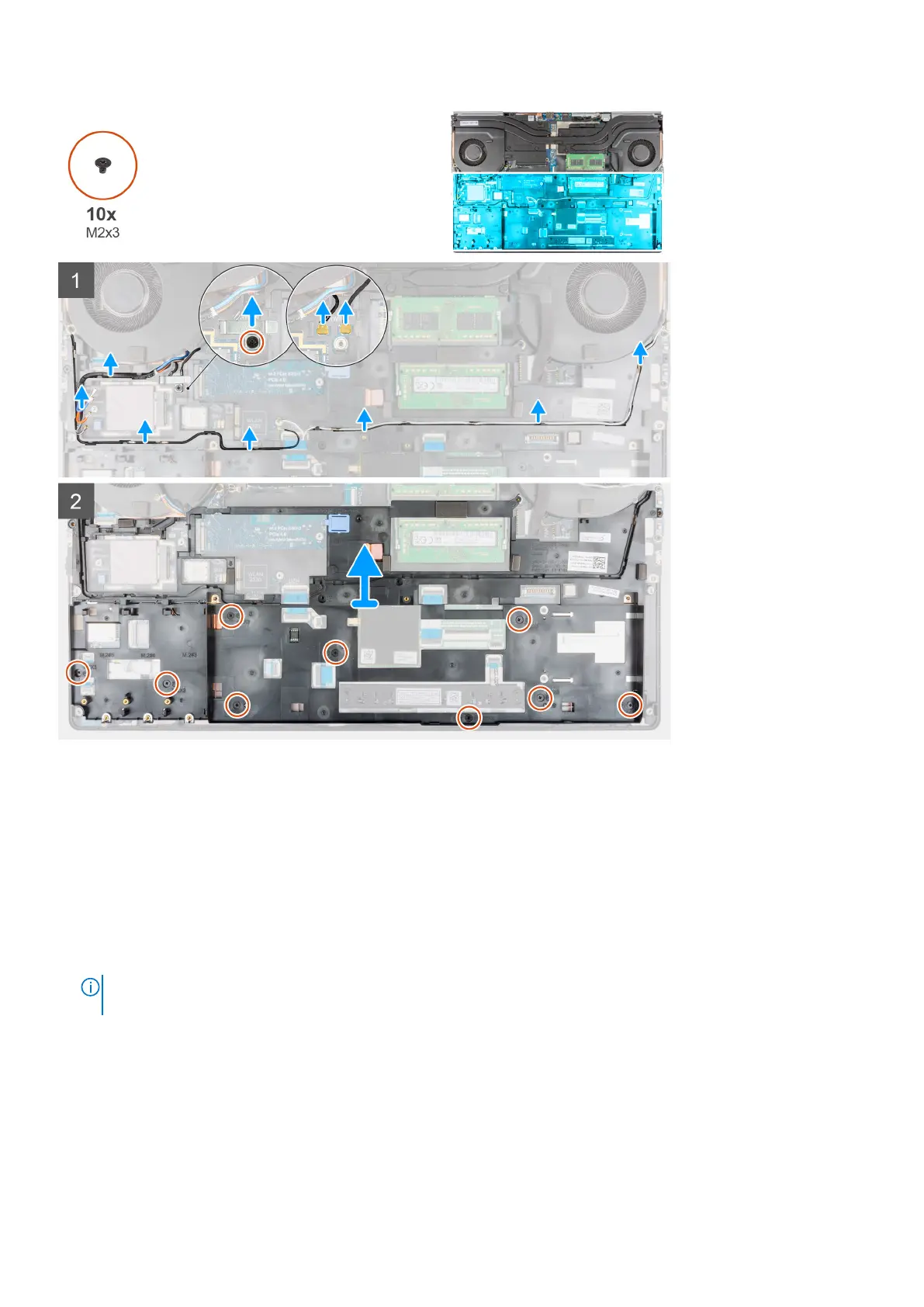
Steps
1. For the computers shipped with WWAN card:
a. Remove the (M2x3) screw that secures the Darwin bracket in place.
b. Remove the Darwin bracket away from the computer.
c. Disconnect the two Darwin antenna cables from the connector on the system board.
2. Unroute the WLAN and WWAN antenna cables from the routing guide.
3. Disconnect the keyboard FPC and the keyboard backlight FPC from the connector on the touchpad module.
4. Remove the ten (M2x3) screws that secure the inner frame to the computer chassis.
5. Remove the inner frame from the computer while carefully unthreading the keyboard FPC and keyboard backlight FPC
through the opening on the inner frame.
NOTE:
If the thermal pad attached to the bottom side of the inner frame is detached, while removing the inner frame,
adhere it back to its correct location.
48 Removing and installing components















 To Next Page