Hard Drive: Dell Precision M6400 Service Manual
file:///T|/htdocs/systems/wsm6400/en/sm/hdd.htm[11/16/2012 10:26:26 AM]
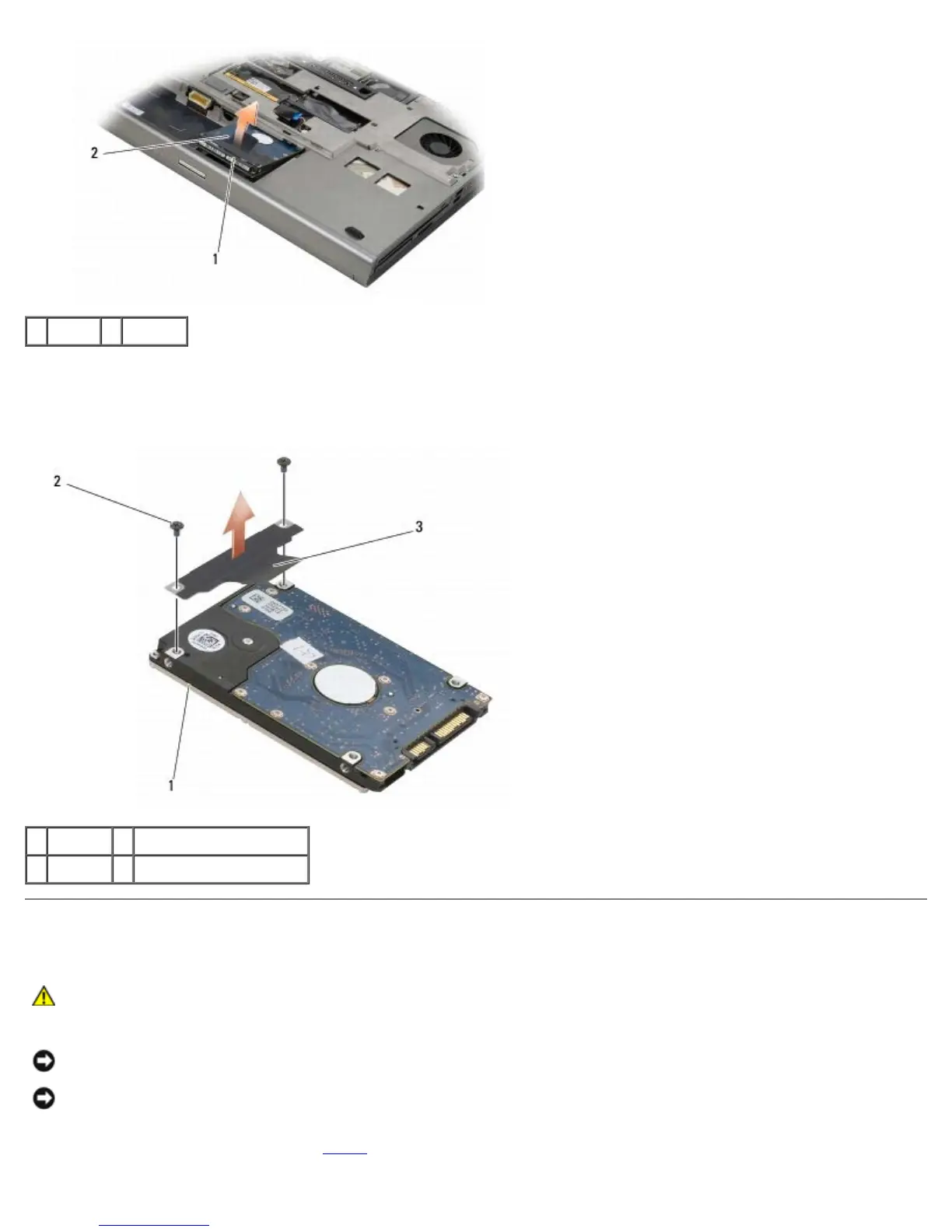
1 HDD1 2 pull tab
6. Remove the two M3 x 3-mm screws that secure the pull tab to the HDD1.
7. Set the pull tab aside to use with the replacement HDD1.
1 HDD1 2 M3 x 3-mm screws (2)
3 pull tab
Replacing the Primary Hard Drive (HDD1)
CAUTION: Before working inside your computer, read the safety information that shipped with your
computer. For additional safety best practices information, see the Regulatory Compliance Homepage on
www.dell.com at: www.dell.com/regulatory_compliance.
NOTICE: Hard drives are extremely fragile. Exercise care when handling the hard drive.
NOTICE: Use firm and even pressure to slide the hard drive into place. Excessive force may result in
damage to the connector.
1. Attach the pull tab you removed in step 7
of the removal procedure to the new HDD1.















 To Next Page