Memory: Dell Precision M6400 Service Manual
file:///T|/htdocs/systems/wsm6400/en/sm/memory.htm[11/16/2012 10:26:40 AM]
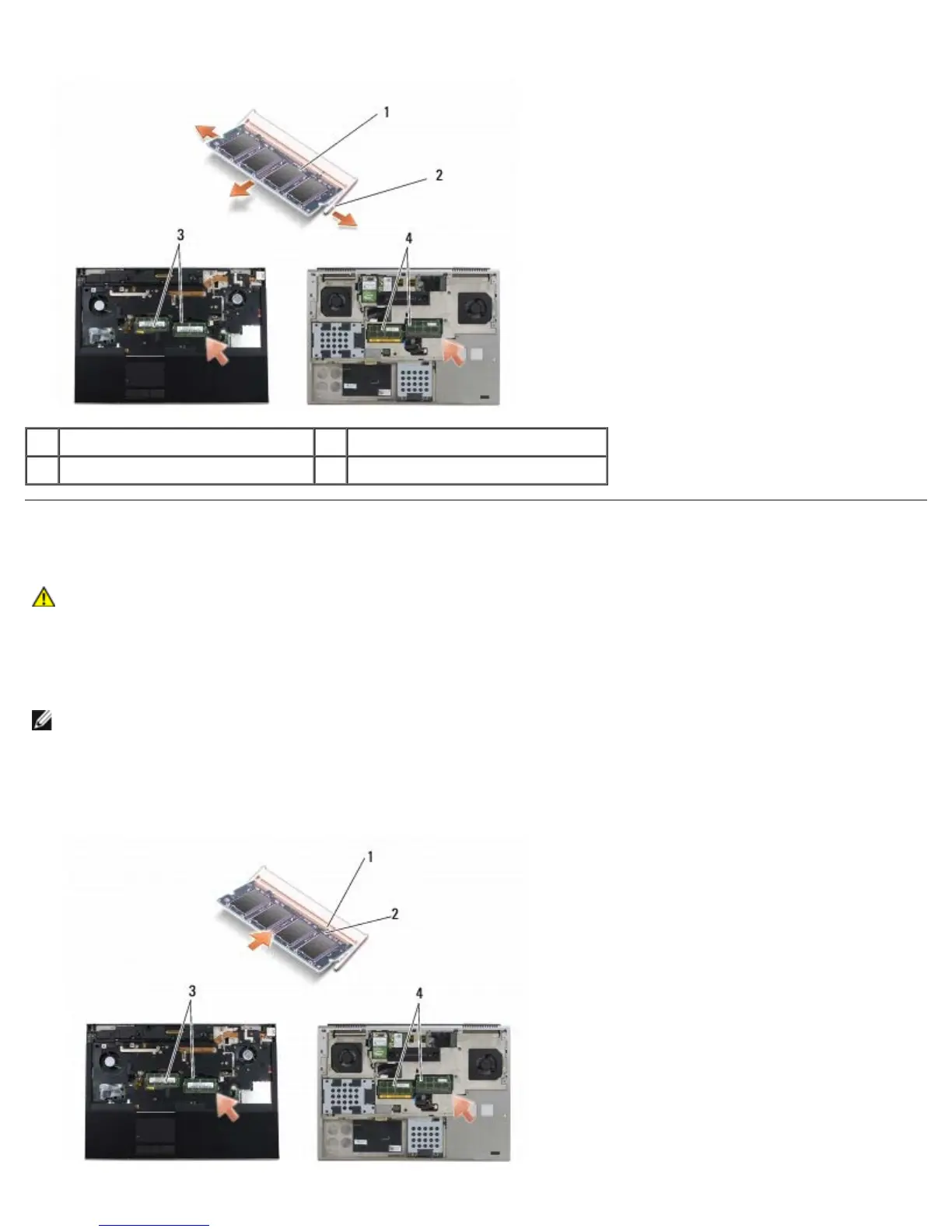
1 memory module 2 securing clips (2)
3 DIMM A and DIMM B 4 DIMM C and DIMM D
Replacing a Memory Module
CAUTION: Before working inside your computer, read the safety information that shipped with your
computer. For additional safety best practices information, see the Regulatory Compliance Homepage on
www.dell.com at: www.dell.com/regulatory_compliance.
1. Place the module at a 45-degree angle, and align the notch in the module with the tab on the connector.
NOTE: If the memory module is not installed properly, the computer may not boot. No error message indicates this
failure.
2. Press down on the module until it clicks into place. If the module does not click into place, remove the module and
reinstall it.















 To Next Page