WWAN Card: Dell Precision M6400 Service Manual
file:///T|/htdocs/systems/wsm6400/en/sm/wwan.htm[11/16/2012 10:26:34 AM]
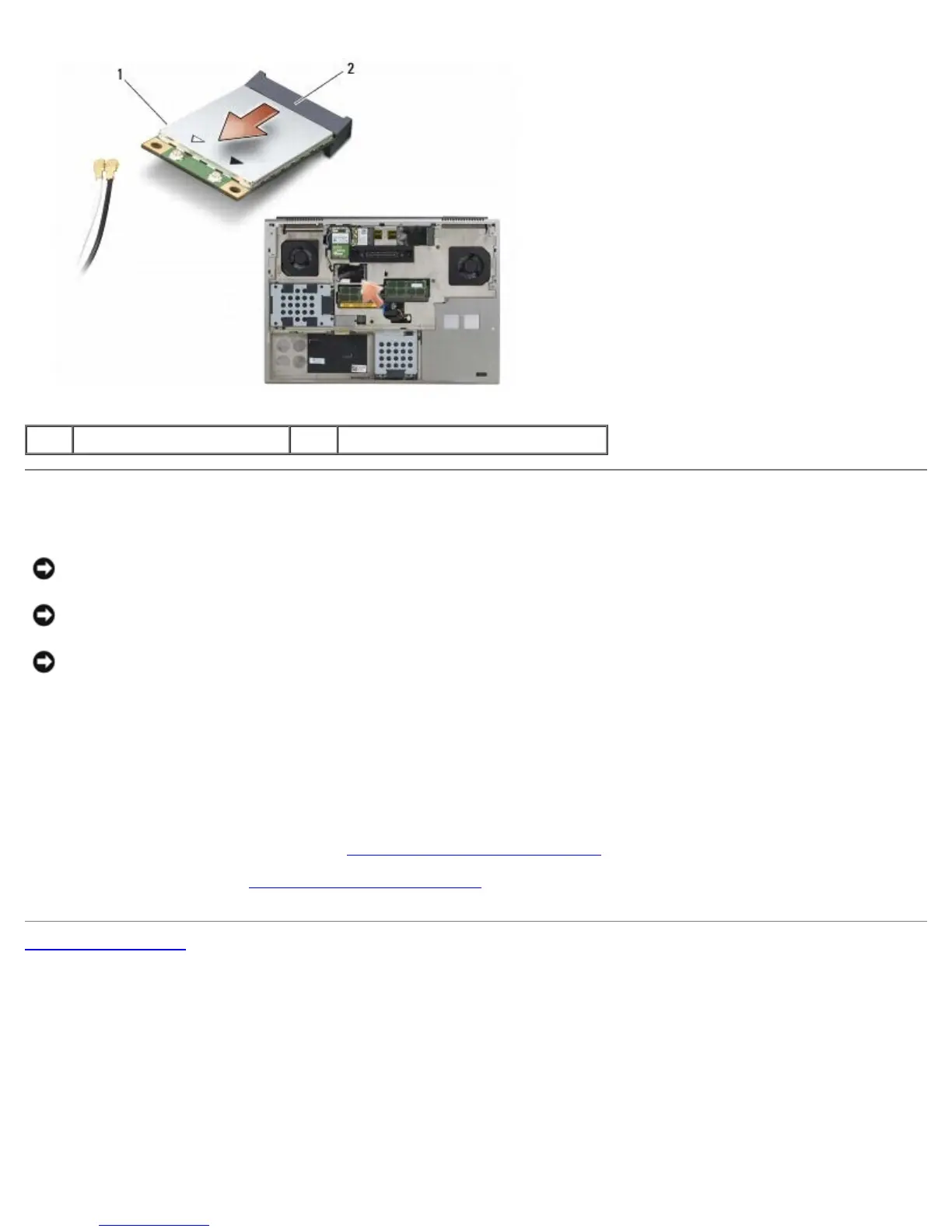
1 WWAN card 2 card connector
Replacing a WWAN Card
NOTICE: The connectors are keyed to ensure correct insertion. If you feel resistance, check the connectors
on the card and on the system board, and realign the card.
NOTICE: To avoid damage to the WWAN card, ensure the cables are not under the card when you replace
it.
NOTICE: Insert a WWAN card or FCM only into the slot labeled WWAN/FCM.
1. Slide the card into the connector labeled WWAN/FCM.
2. Press the card down and hold it in place.
3. Replace the M2 x 3-mm screw.
4. Connect the white antenna cable to the connector labeled "main" (white triangle), and connect the black antenna cable
to the connector labeled "aux" (black triangle).
5. Replace the base assembly cover (see Replacing the Base Assembly Cover
).
6. Follow the procedures in After Working on Your Computer
.
Back to Contents Page















 To Next Page