Edge-to-Edge Display: Dell Precision M6400 Service Manual
file:///T|/htdocs/systems/wsm6400/en/sm/display.htm[11/16/2012 10:26:51 AM]
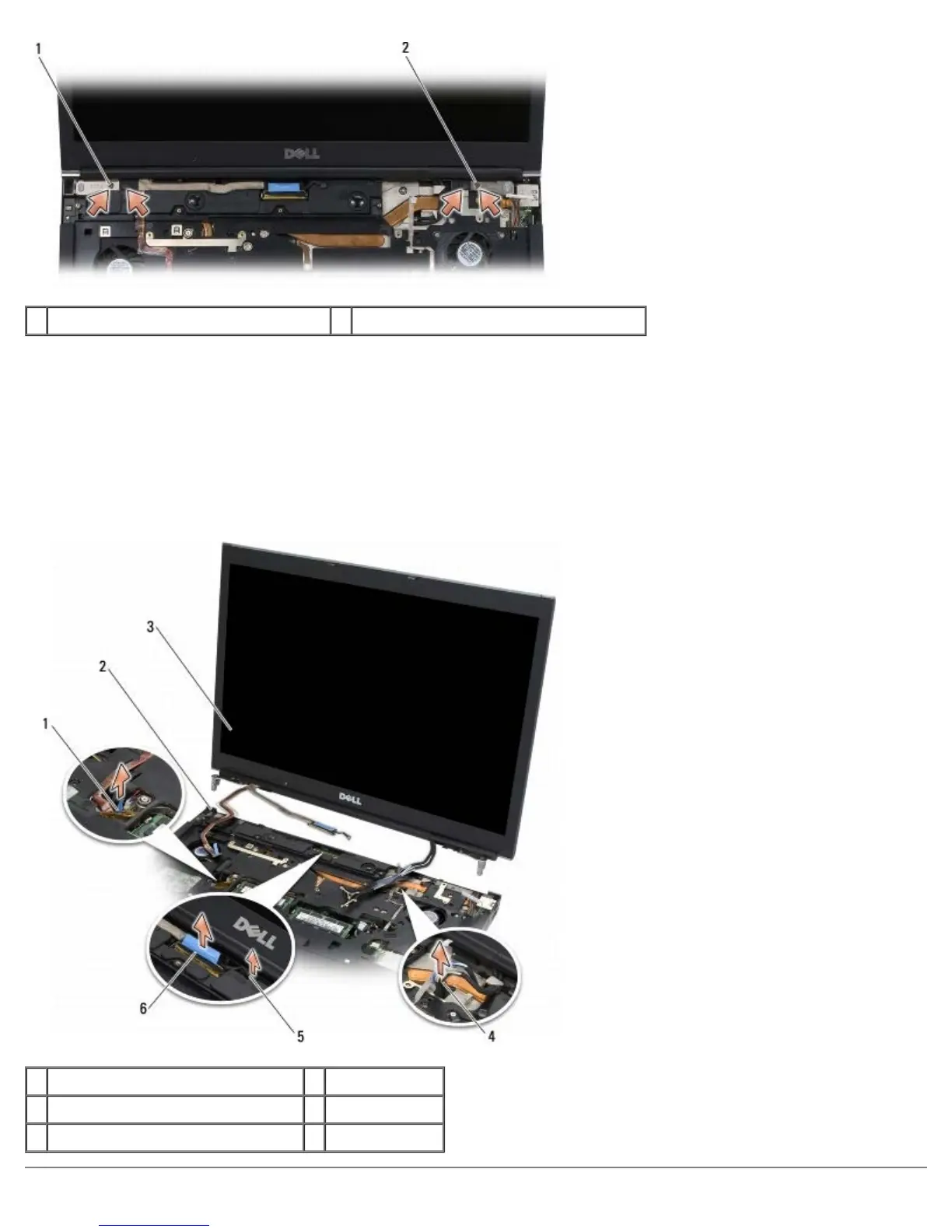
1 M2.5 x 5-mm screws (2) on left hinge 2 M2.5 x 5-mm screws (2) on right hinge
9. Pull the wireless antenna cables up through the computer.
10. Remove the LVDS captive screw.
11. Disconnect and unroute the display cable.
12. Disconnect and unroute the ambient-light sensor cable.
13. Lift the Edge-to-Edge display off the base assembly.
1 ambient-light display sensor cable 2 base assembly
3 display assembly 4 antenna cables
5 LVDS captive screw 6 display cable















 To Next Page