LED and CCFL Displays: Dell Precision M6400 Service Manual
file:///T|/htdocs/systems/wsm6400/en/sm/displayb.htm[11/16/2012 10:27:02 AM]
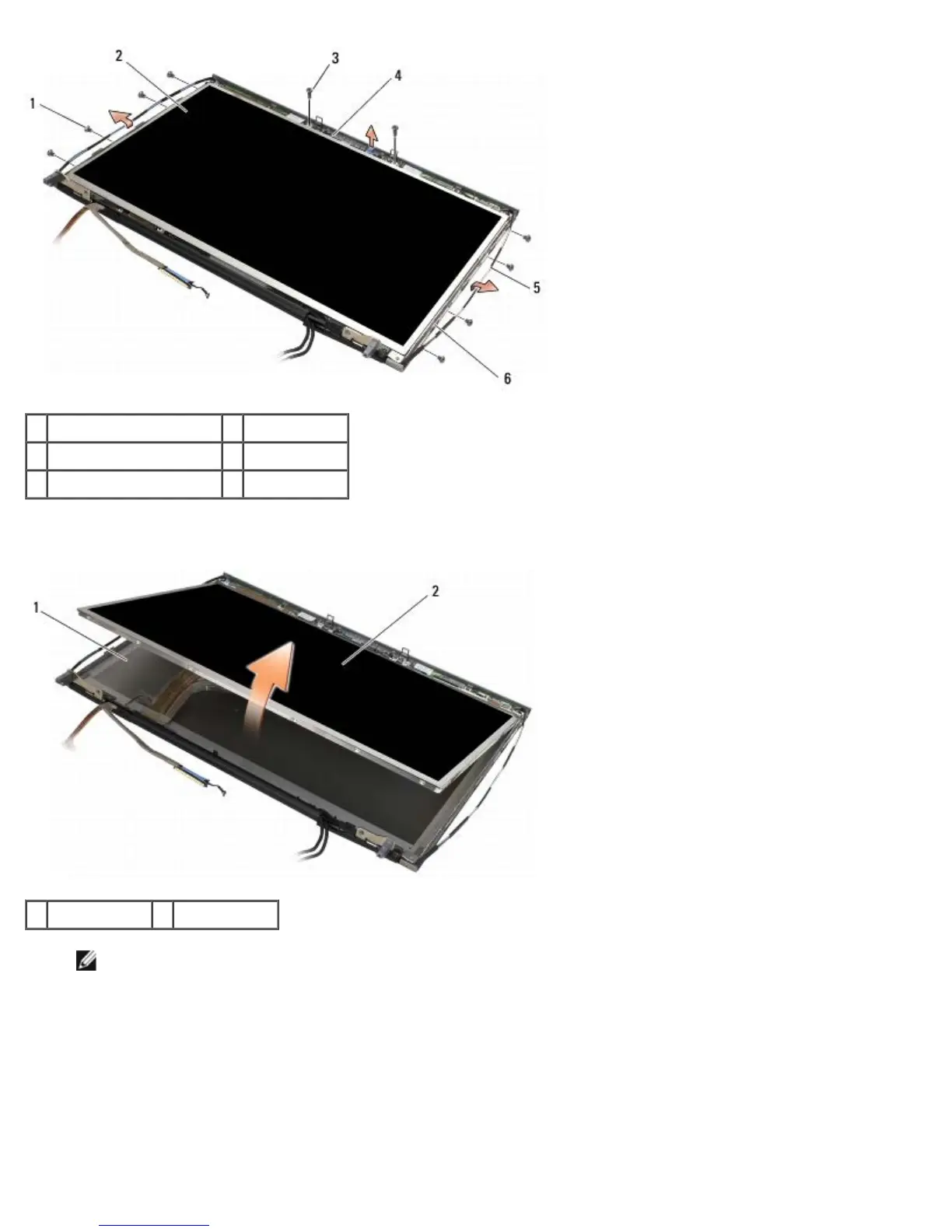
1 M2 x 3-mm screws (8) 2 display panel
3 M2 x 3-mm screws (2) 4 bracket
5 antenna cables 5 display cover
5. Lift the display panel out of the display cover.
1 display cover 2 display panel
NOTE: The number of cables on your display panel may vary depending on the type of display.
6. Squeeze the release tabs together to disconnect the cables.















 To Next Page