36 │ Operating your monitor
Icon Menu and
Submenus
Description
Brightness/
Contrast
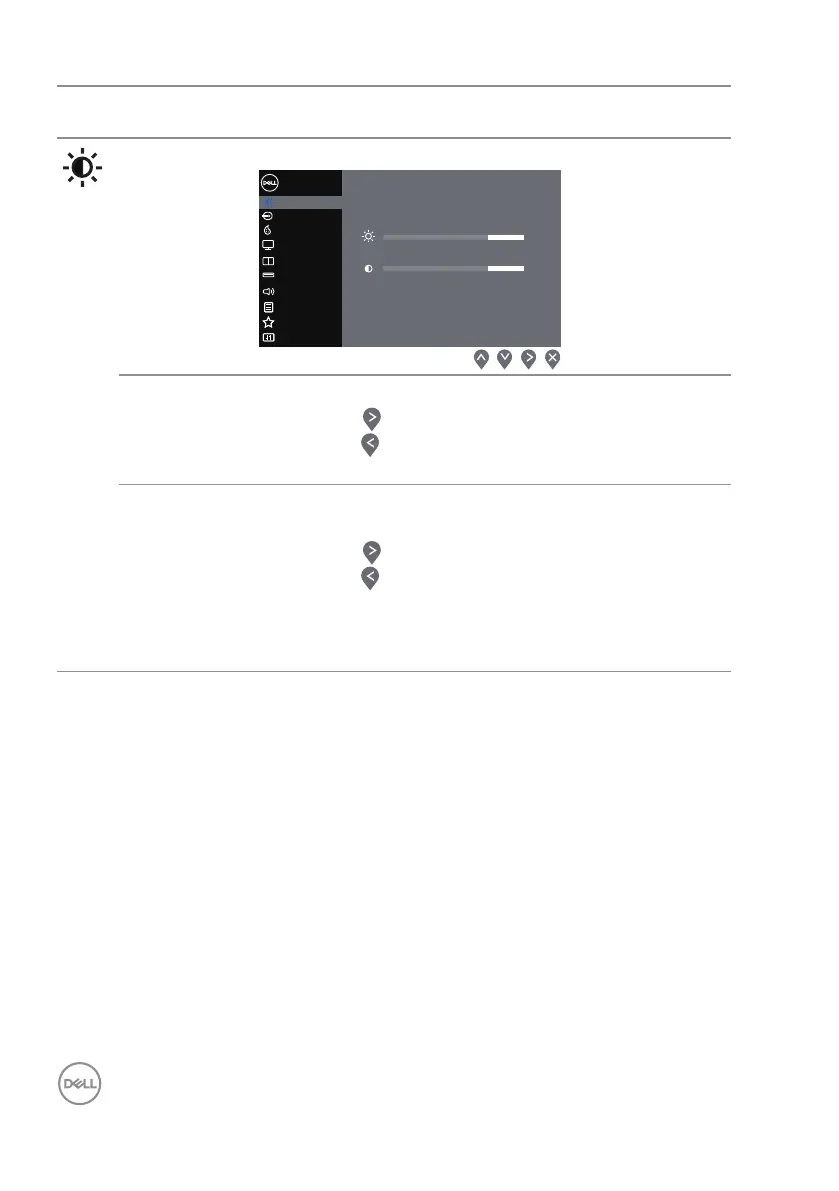
Uses this menu to adjust the brightness and contrast.
Display
Brightness / Contrast
Dell 34 Monitor
Input Source
Color
Menu
Audio
Menu
Others
Others
PersonalizePersonalize
Audio
PIP/PBP
USB Selection
75%
75%
Brightness Adjusts the brightness of the backlight.
Presses the button to increase the brightness and
presses the button to decrease the brightness (min.
0/ max. 100).
Contrast Adjusts the brightness first, and then adjusts the con-
trast only if further adjustment is necessary.
Presses the button to increase the contrast and
presses the button to decrease the contrast (min.
0/max. 100).
The Contrast function adjusts the degree of difference
between darkness and lightness on the monitor screen.



 To Next Page