12 Connecting Your Projector
2
Connecting Your Projector
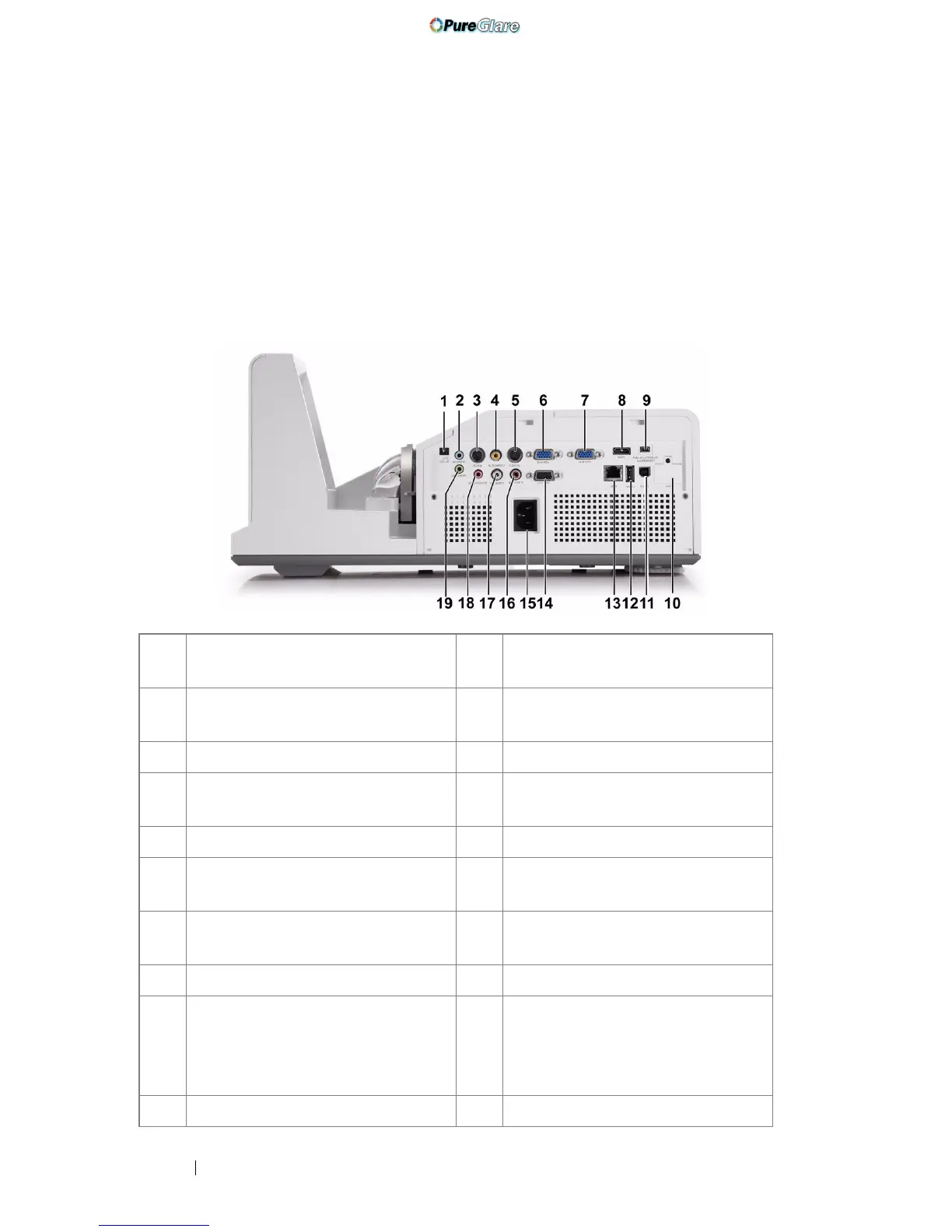
1 +12 V DC out connector 11 USB Type B connector for USB
Display
2 Audio-A input connector 12 USB Type A connector for USB
Viewer
3 RS232 connector 13 RJ45 connector
4 Composite Video connector 14 VGA-A output (monitor loop
through) connector
5 S-Video connector 15 Power cord connector
6 VGA-A input (D-sub) connector 16 Audio-B right-channel input
connector
7 VGA-B input (D-sub) connector 17 Audio-B left-channel input
connector
8 HDMI connector 18 Microphone connector
9 Mini USB (Mini Type B)
connector for remote mouse,
Interactive function and firmware
upgrade
19 Audio output connector
10 WiFi USB (Type A) connector
http://www.pureglare.com.au



 To Next Page