24 Connecting Your Projector
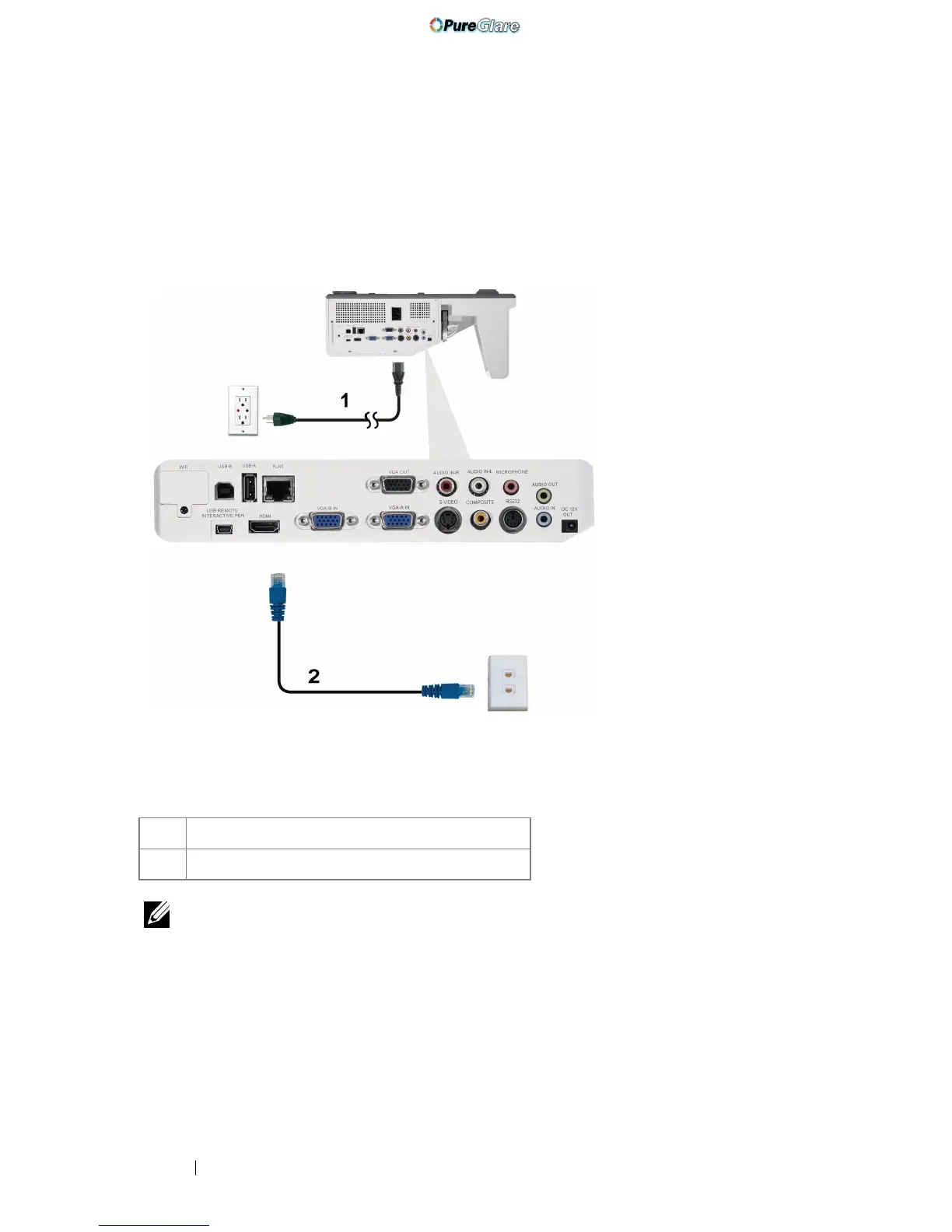
Connecting to Local Area Network
To project an image and control the projector that is connected to a
network through a RJ45 cable.
NOTE: The RJ45 cable is not shipped with your projector. You can purchase the
RJ45 cable on the Dell website at www.dell.com.
1 Power cord
2 RJ45 cable
Local Area Network (LAN)
http://www.pureglare.com.au



 To Next Page