Using Your Projector 75
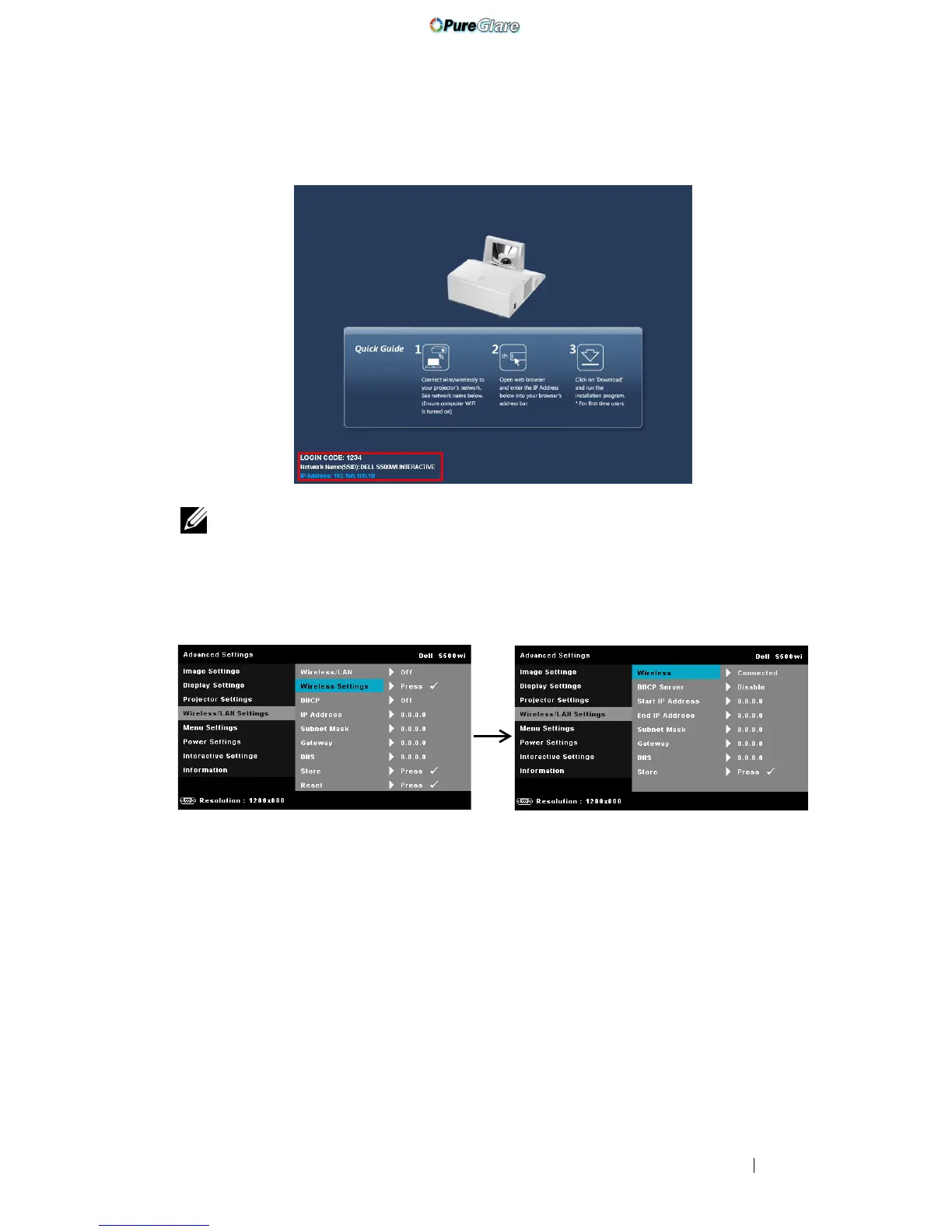
The
Wireless Guide Screen
shown below appears:
NOTE: If wireless connection is disabled, then follow these steps to set up:
ADVANCED SETTINGS J Wireless/LAN Settings J Wireless Settings J
Wireless J Connected. The image input source will be automatically switched
to wireless screen when wireless option is selected in this step.
6
Take note of the
LOGIN CODE
,
NETWORK NAME (SSID)
, and
IP
ADDRESS
. You will need these information to log in in later.
Install the Wireless Application Software on Your Computer
In order to use your wireless projector, you must install the software on your
system.
http://www.pureglare.com.au



 To Next Page