90 Using Your Projector
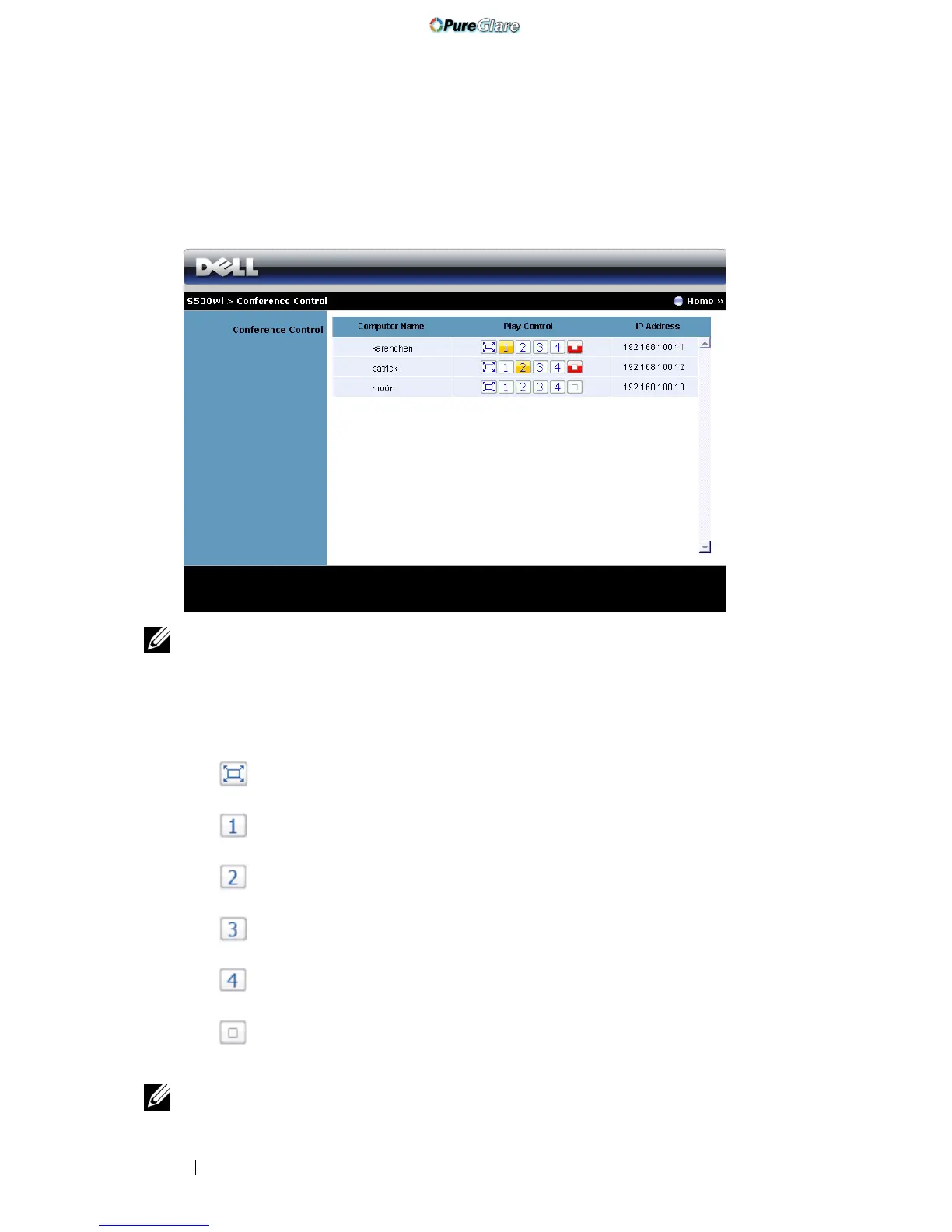
Conference Control
This allows you to host conference presentations from different sources without
using projector cables and lets you control how each presentation will appear on
screen.
NOTE: Without Conference Play Control, the last user to hit the "Play" button on
the application will take control of the full-screen projection.
Computer Name: Lists the computers logged for conference control.
Play Control: Click the buttons to control how each computer’s projection will
appear on screen.
• Full screen projection — The presentation from the computer
occupies the whole screen.
• Split 1 - The presentation from the computer appears on the upper
left corner of the screen.
• Split 2- The presentation from the computer appears on the upper
right corner of the screen.
• Split 3- The presentation from the computer appears on the lower
left corner of the screen.
• Split 4- The presentation from the computer appears on the lower
right corner of the screen.
• Stop - Projection from the computer is stopped.
IP Address: Shows each computer’s IP Address.
NOTE: To end the conference, click Home.
http://www.pureglare.com.au



 To Next Page