Dell SonicWALL Directory Services Connector 3.7
Administration Guide
27
Configuring SSO Agent settings on Actions > Properties
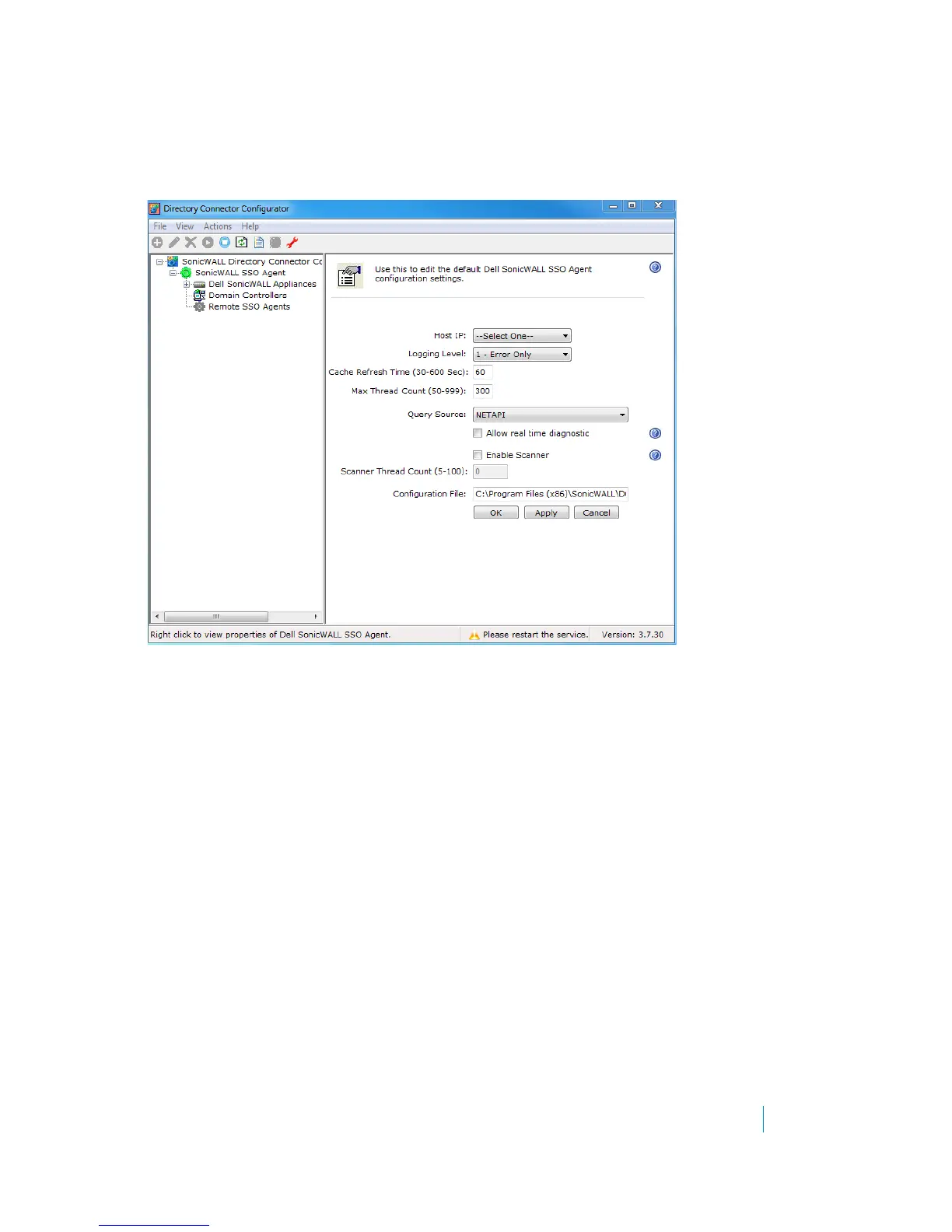
The Actions > Properties page provides a number of configuration settings for the SSO Agent.
Figure 2. Actions > Properties page
To configure the SSO Agent settings:
1 In the DSC Configuration Tool, select SonicWALL SSO Agent in the left pane and then navigate to the
Actions > Properties page.
2For Host IP, type in the IP address of the machine with the SSO Agent installed.
3For Logging Level, select one of the following from the drop-down list:
•0 - No logging
•1 - Errors will be logged
•2 - Debug messages and errors will be logged
•3 - Diagnostic messages, debug messages, and errors will be logged
4For Cache Refresh Time, enter the number of seconds that items should remain in the SSO Agent cache.
The default is 60 seconds, the range is 30-600 seconds. For more information, see About the SSO Agent
cache on page 8 and Using the SSO Agent cache on page 36.
5For Max Thread Count, enter the maximum number of threads that the SSO Agent can use at one time.
The default is 300, the range is 50-999.
6For Query Source, select the desired method for the SSO Agent to identify the user. Select one of the
following from the drop-down list:
• NETAPI - Use NETAPI to identify the user (default)
•WMI - Use WMI to identify the user











 To Next Page