Dell SonicWALL Directory Services Connector 3.7
Administration Guide
44
Setting a group policy to enable audit logon on
Windows Server 2003
By default the audit logon is disabled on Windows server 2003.
To enable audit logon, complete the following steps:
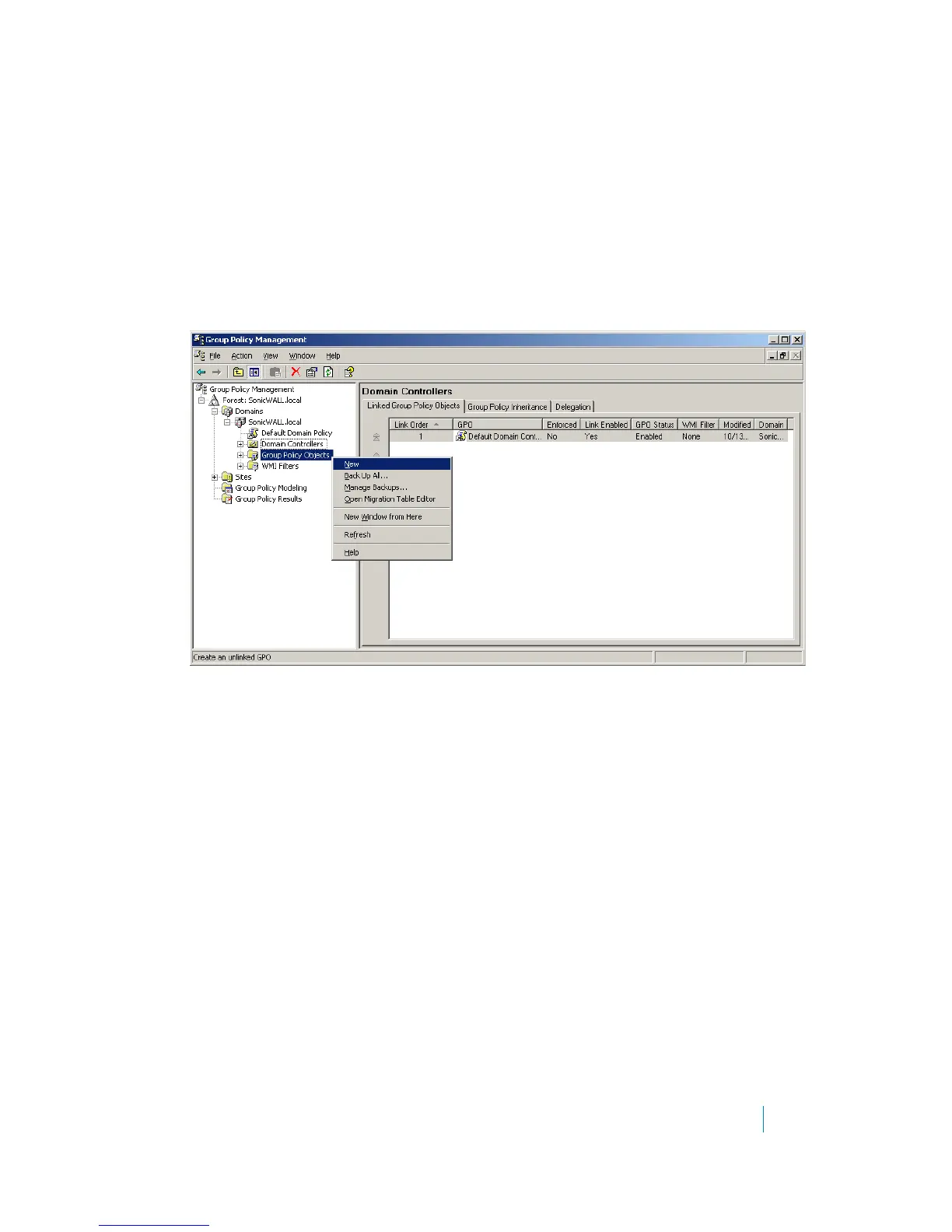
1 Start the Group Policy Management Console.
2 Browse to the following location - Forest: Domain Name > Domains > Domain Name > Group Policy
Objects, replacing “Domain Name” with your domain.
3Right-click on Group Policy Objects and select New.
4 Give your policy a name and click OK.
5 Expand the Group Policy Objects folder and find your new policy. Right-click on the policy and select
Edit...











 To Next Page