Dell SonicWALL Directory Services Connector 3.7
Administration Guide
34
Configuring remote SSO Agents
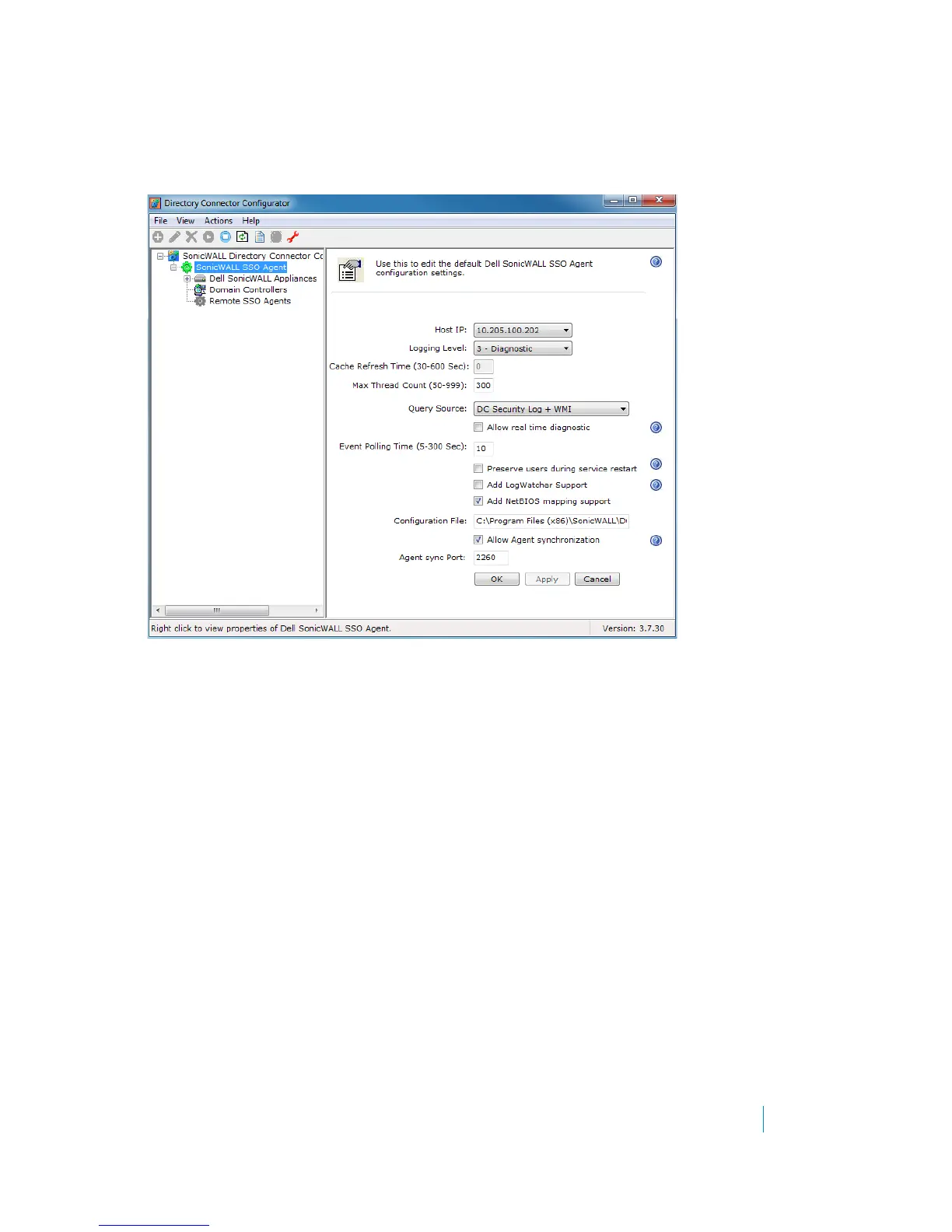
To enable the agent synchronization (Agent-to-Agent communication), go to the SonicWALL SSO Agent >
Properties page (Actions > Properties) in the Configuration tool.
To configure remote SSO Agents in Directory Services Connector:
1 Launch the Dell SonicWALL Directory Services Connector Configuration Tool.
2Expand SonicWALL Directory Connector and SonicWALL SSO Agent in the left column by clicking the +
buttons.











 To Next Page