Back to Contents Page
Display
Dell™Studio1535/1536ServiceManual
Display Assembly
Display Bezel
Display Panel
Display Inverter
Display Hinges
Display Assembly
Removing the Display Assembly
1. Follow the instructions in Before You Begin.
2. Remove the base cover(see Removing the Base Cover).
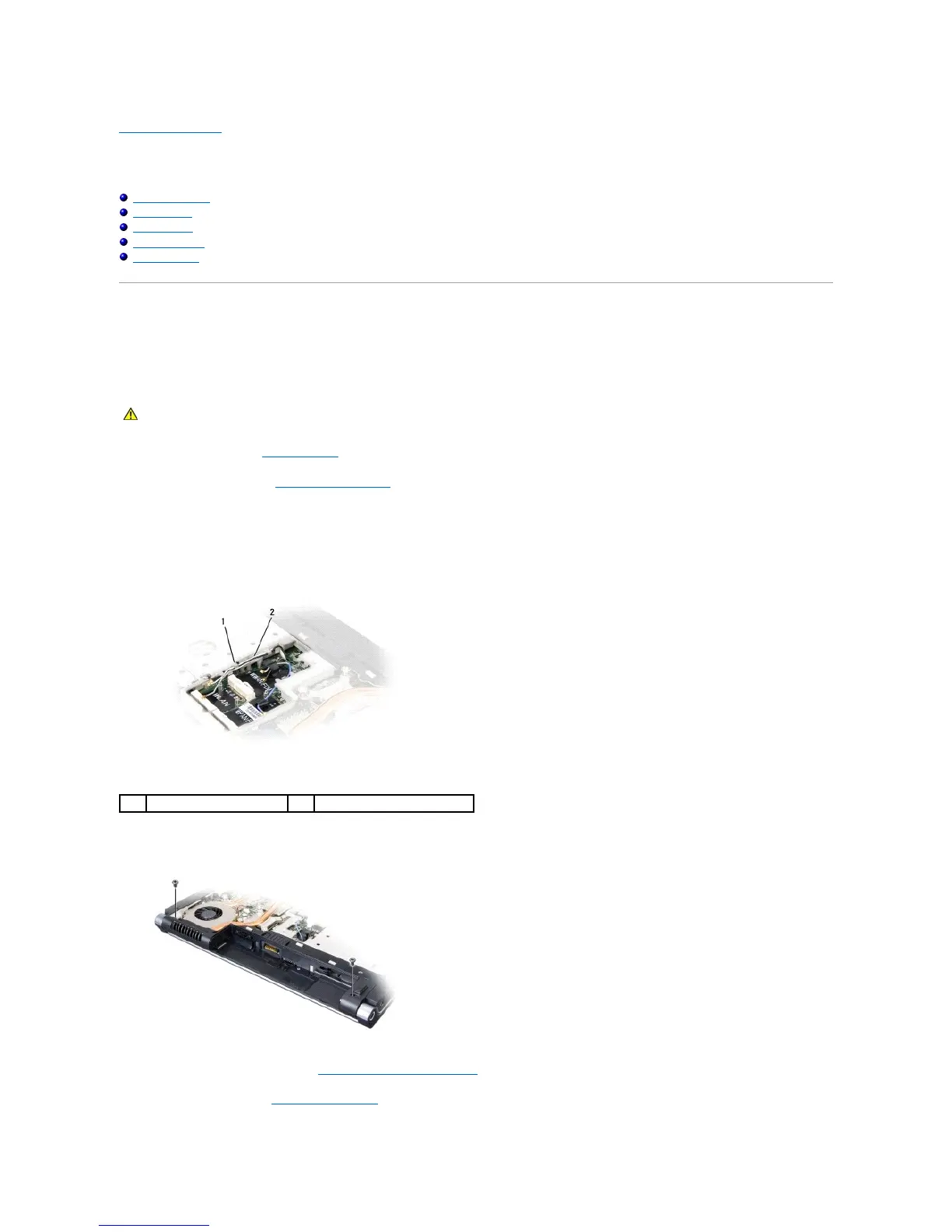
3. Disconnect the antenna cables from the Mini-Card.
4. Lift the antenna cables from the securing tabs and release them from the routing channel.
5. Remove the two screws securing the display assembly from the bottom of the computer.
6. Remove the center control cover (see Removing the Center Control Cover).
7. Remove the keyboard (see Removing the Keyboard).





 To Next Page