Setting up the monitor │ 47
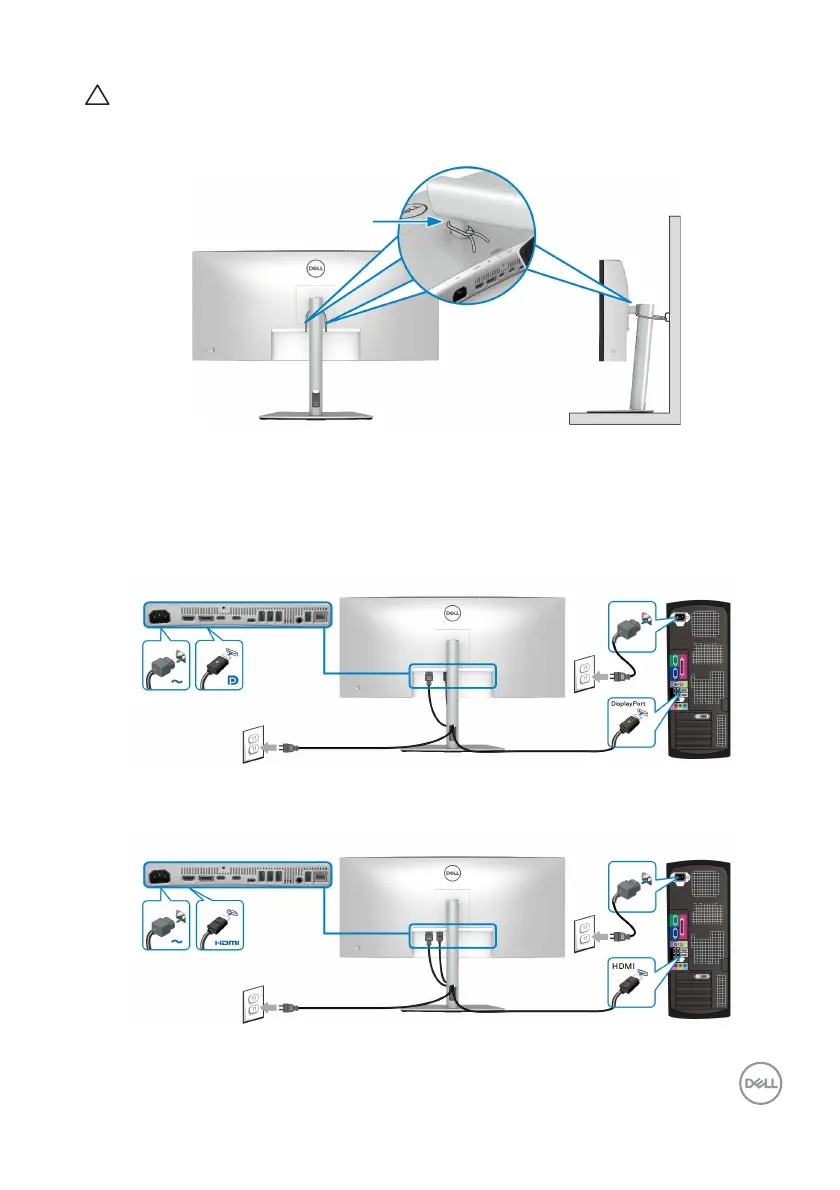
CAUTION: Before using the monitor, it is recommended to fasten the
stand riser to a wall using cable tie or a cord that can support the
weight of the monitor in order to prevent the monitor from falling.
4. Turn on the monitor and the computer.
If your monitor displays an image, installation is
complete. If it does not display an
image, see Common problems.
Connecting the DisplayPort (DisplayPort to DisplayPort) cable
Connecting the HDMI cable












 To Next Page