94 │ Operating the monitor
Setting the Auto KVM
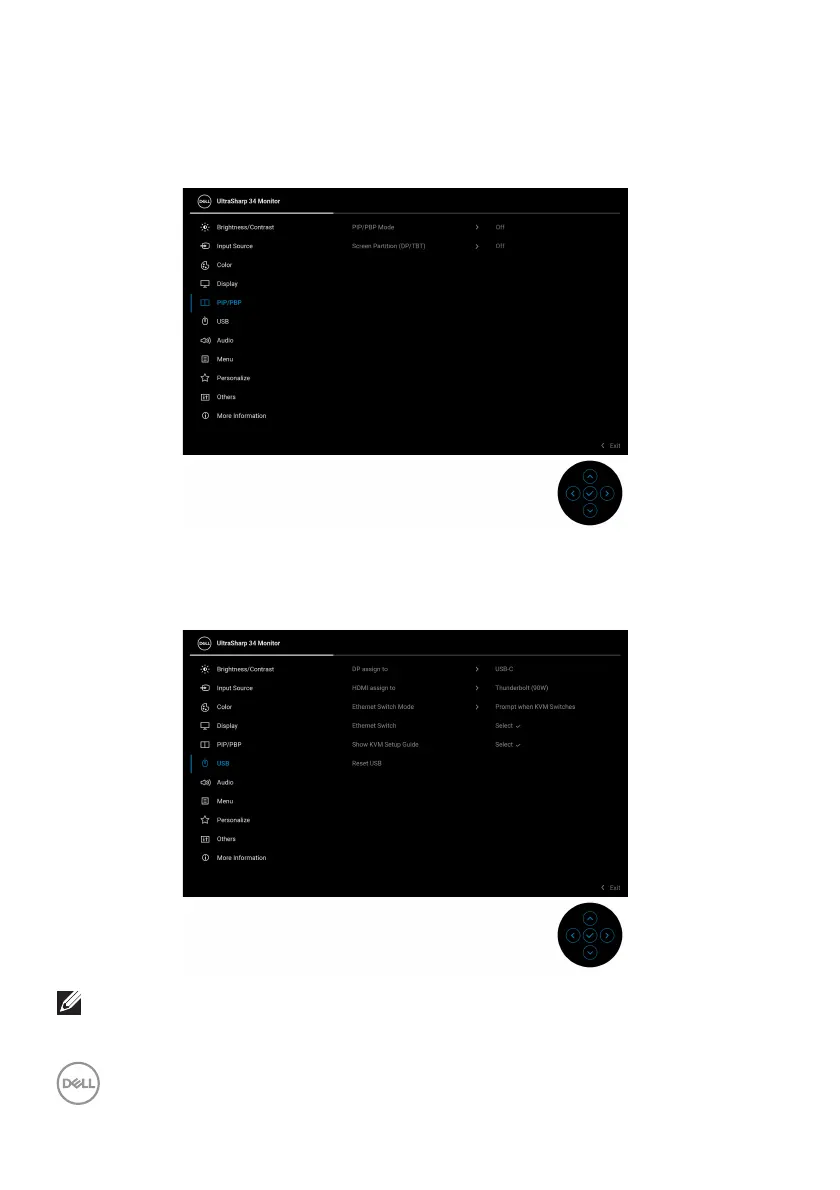
To set up Auto KVM for your monitor, follow these steps:
1. Go
to PIP/PBP > PIP/PBP Mode and select Off.
2. Go to Input Source, ensure to set Options for DP/HDMI and Options for
Thunderbolt to Prompt for Multiple Inputs or Always Switch.
3. Go
to USB, ensure that the USB ports and video inputs are paired accordingly.
NOTE: For Thunderbolt (90W) connection, there is no further setting
required.












 To Next Page