92 │ Operating the monitor
NOTE: The message may be slightly different according to the selected
settings.
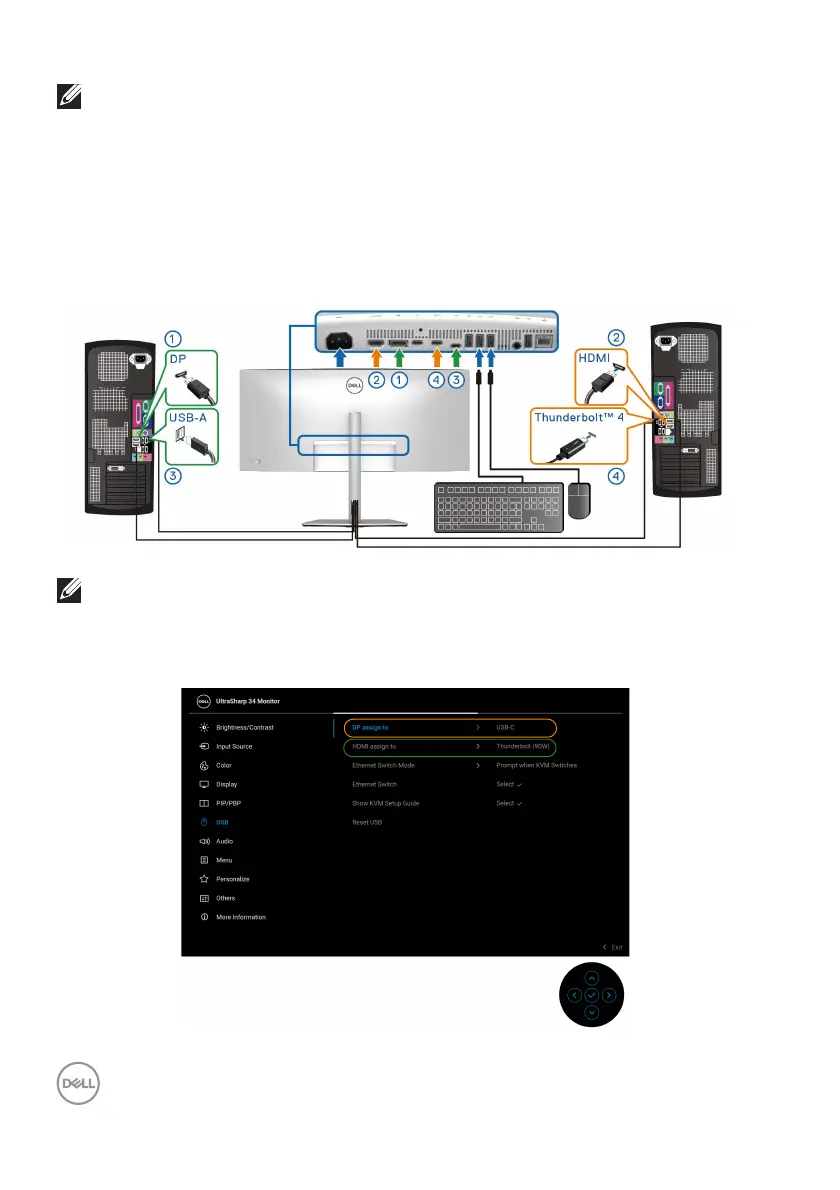
Setting the KVM switch
The built-in KVM switch allows you to control up to 2 computers from a single set of
keyboard and mouse connected to the monitor.
a. When connecting DP + USB-C (data only) to computer 1 and HDMI +
Thunderbolt to computer 2:
NOTE: The USB Type-C connection currently supports data transfer
only.
Ensure that USB fo
r DP is assigned to USB-C and HDMI is assigned to
Thunderbolt (90W).












 To Next Page