50 │ Setting up the monitor
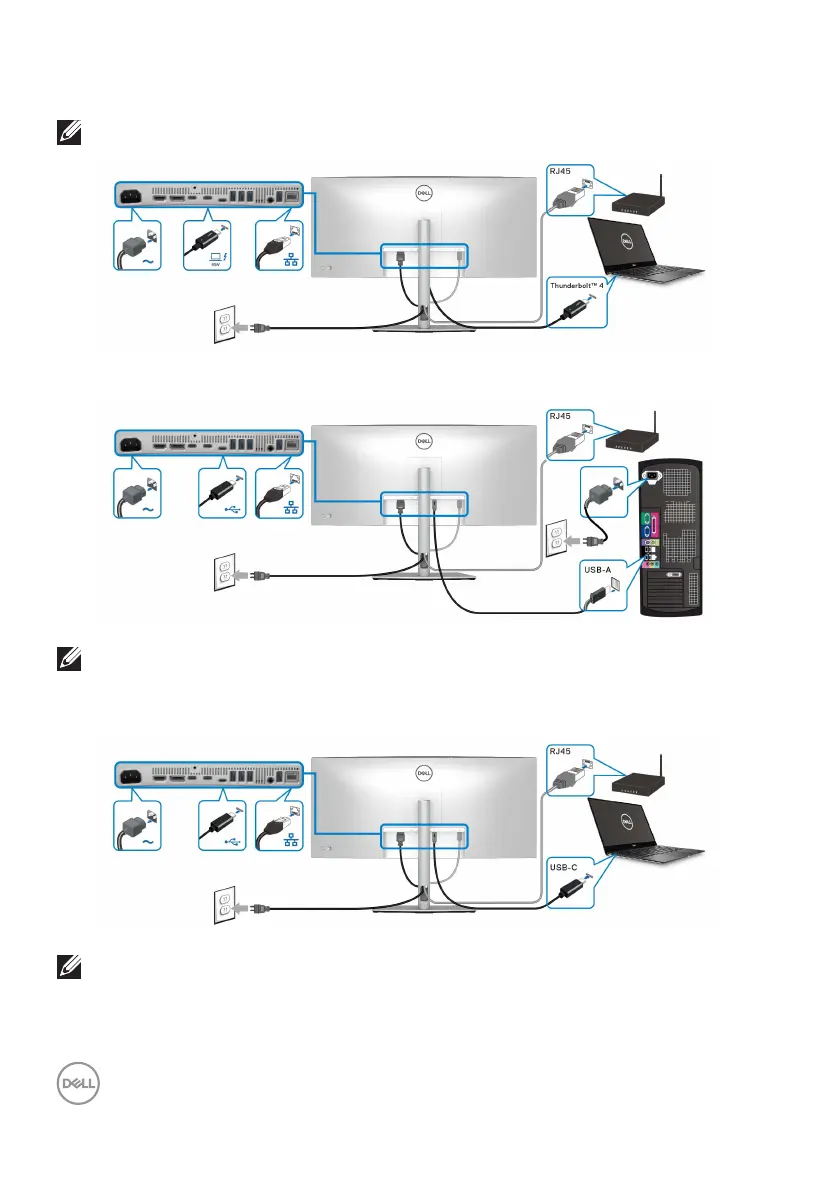
Connecting the monitor for RJ45 cable (optional)
NOTE: The RJ45 cable is not an in-box standard accessory.
or
NOTE: The USB-C to USB-A connection offers USB data transfer only
(no video).
or
NOTE: To use the computer with USB-C to USB-C connection,
purchase a USB Type-C to USB Type-C cable separately.












 To Next Page