80 │ Operating the monitor
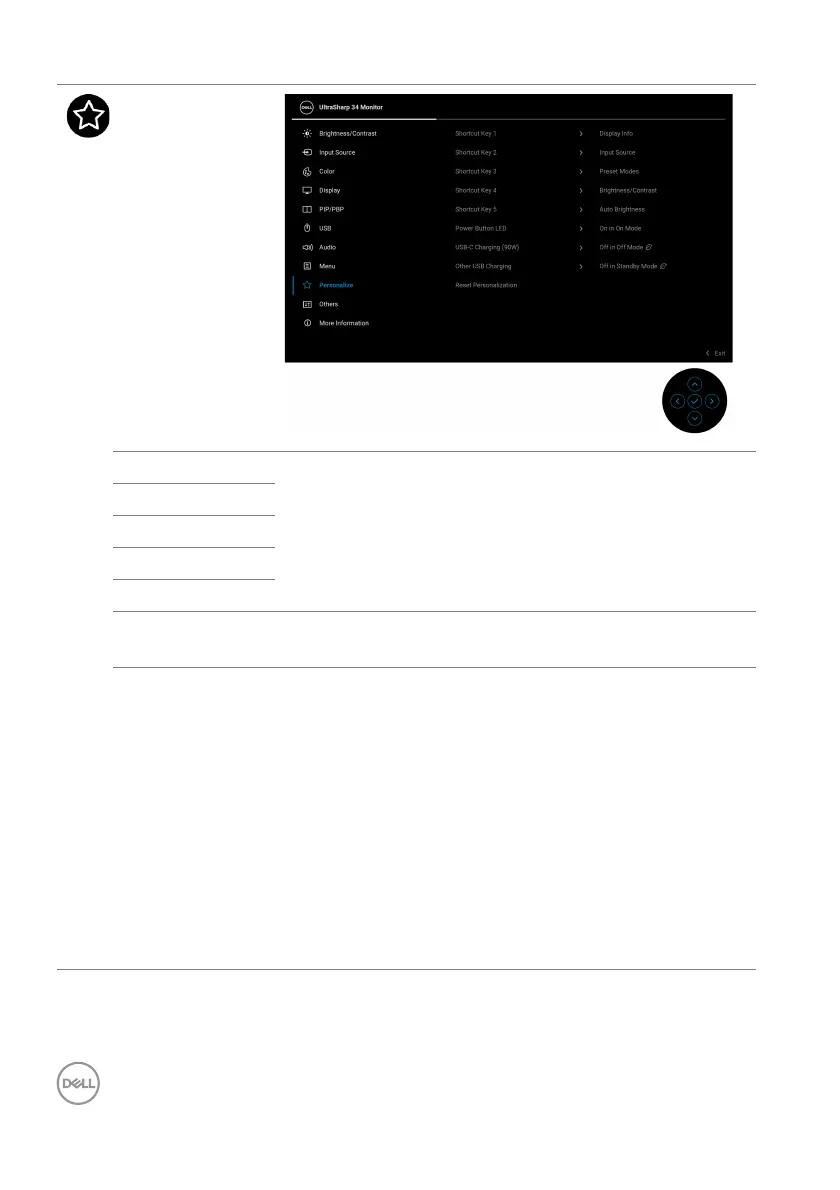
Personalize
Shortcut Key 1
Select a function from Pr
eset Modes, Brightness/
Contrast, Auto Brightness, Auto Color Temp.,
Input Source, Aspect Ratio, Volume, Speaker, PIP/
PBP Mode, USB Switch, Ethernet Switch, Video
Swap, Display Info, or Screen Partition and set it as
a shortcut key.
Shortcut Key 2
Shortcut Key 3
Shortcut Key 4
Shortcut Key 5
Power Button
LED
Allows you to set the state of the power light to save
ener
gy.
USB-C
Char
ging
(90W)
Allows you to enable or disable the USB-C Charging
(90W) function during monitor off mode. If On in Off
Mode is selected, you will be able to charge your
notebook or mobile devices through the Thunderbolt /
USB Type-C cable even when the monitor is powered
Off.
NOTE: The
function is not selectable and will be
defaulted to On in Off Mode if Monitor is connected to
Dell Latitude and Precision notebooks that support Dell
Power Button Sync through Thunderbolt/USB Type-C.
Under this configuration, the monitor USB-C charging
function is always available during Off Mode.












 To Next Page