7
Memory
Removing The Memory Module
1. Follow the procedures in
Before Working On Your Computer
.
2. Remove the
battery
.
3. Remove the
memory door
.
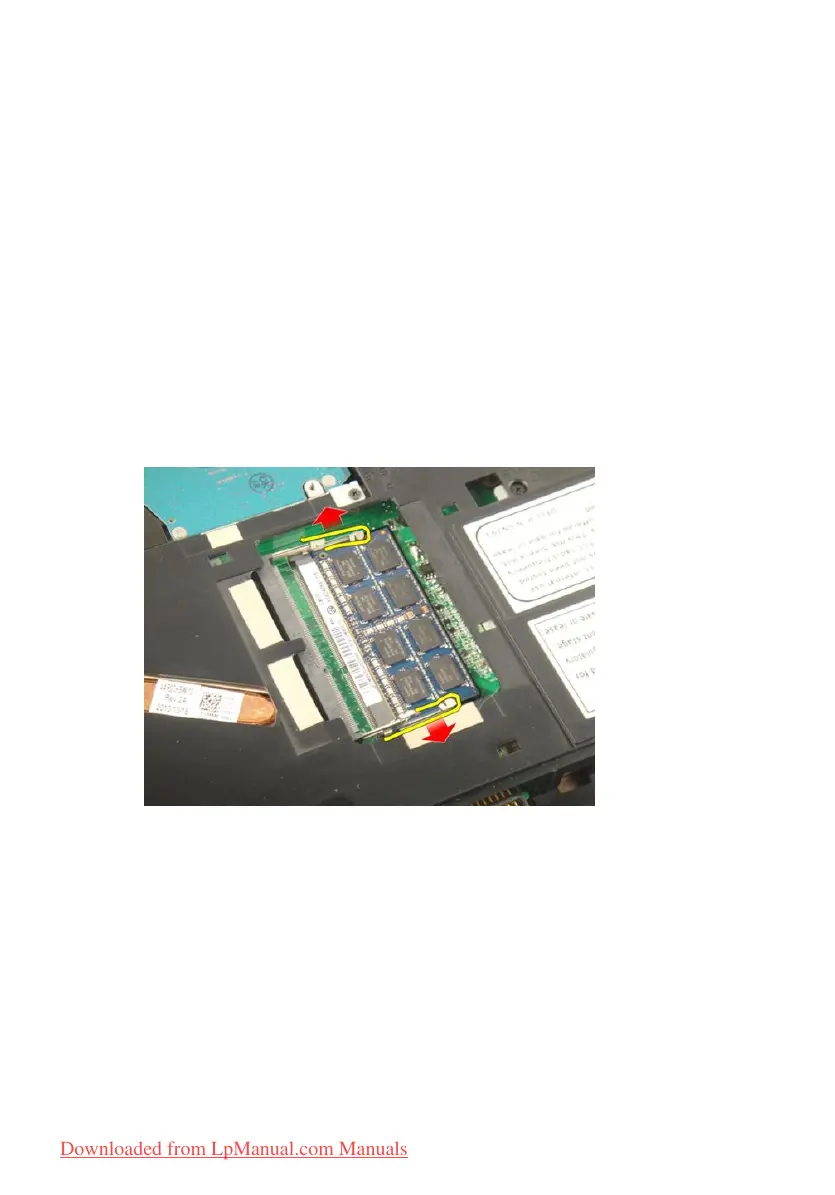
4. Pry the retention clips away from the memory module until it pops up.
5. Remove the memory module from its connector on the system board.
29
Downloaded from LpManual.com Manuals


 To Next Page