Installing The Wireless Local Area Network
(WLAN) Card
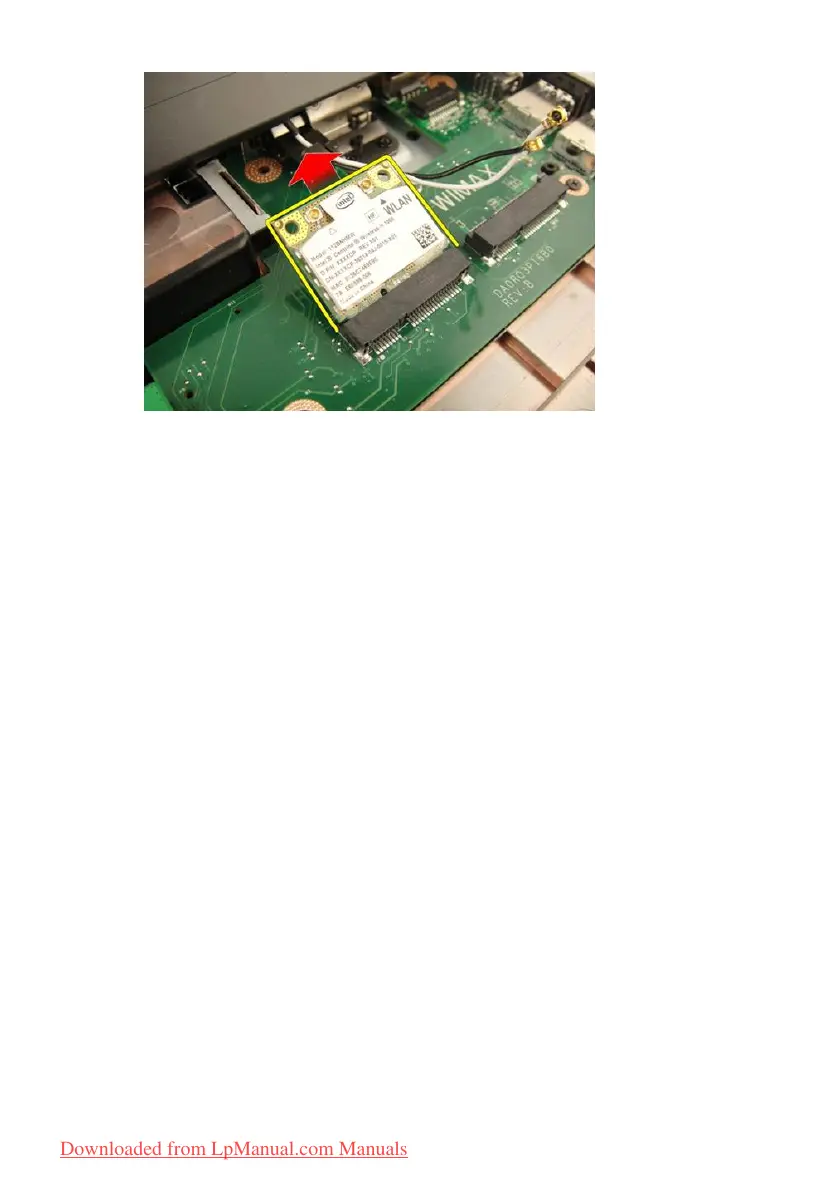
1. Slide the WLAN card into its slot.
2. Tighten the screw that secures the WLAN card in place.
3. Connect the antenna cables according to the color code on the WLAN
card.
4. Install the
palm rest
.
5. Install the
optical drive
.
6. Install the
memory door
.
7. Install the
keyboard
.
8. Install the
battery
.
9. Follow the procedures in
After Working Inside Your Computer
.
53
Downloaded from LpManual.com Manuals


 To Next Page