21
ExpressCard Cable
Removing The ExpressCard Cable
1. Follow the procedures in
Before Working On Your Computer
.
2. Remove the
battery
.
3. Remove the
keyboard
.
4. Remove the
memory door
.
5. Remove the
optical drive
.
6. Remove the
palm rest
.
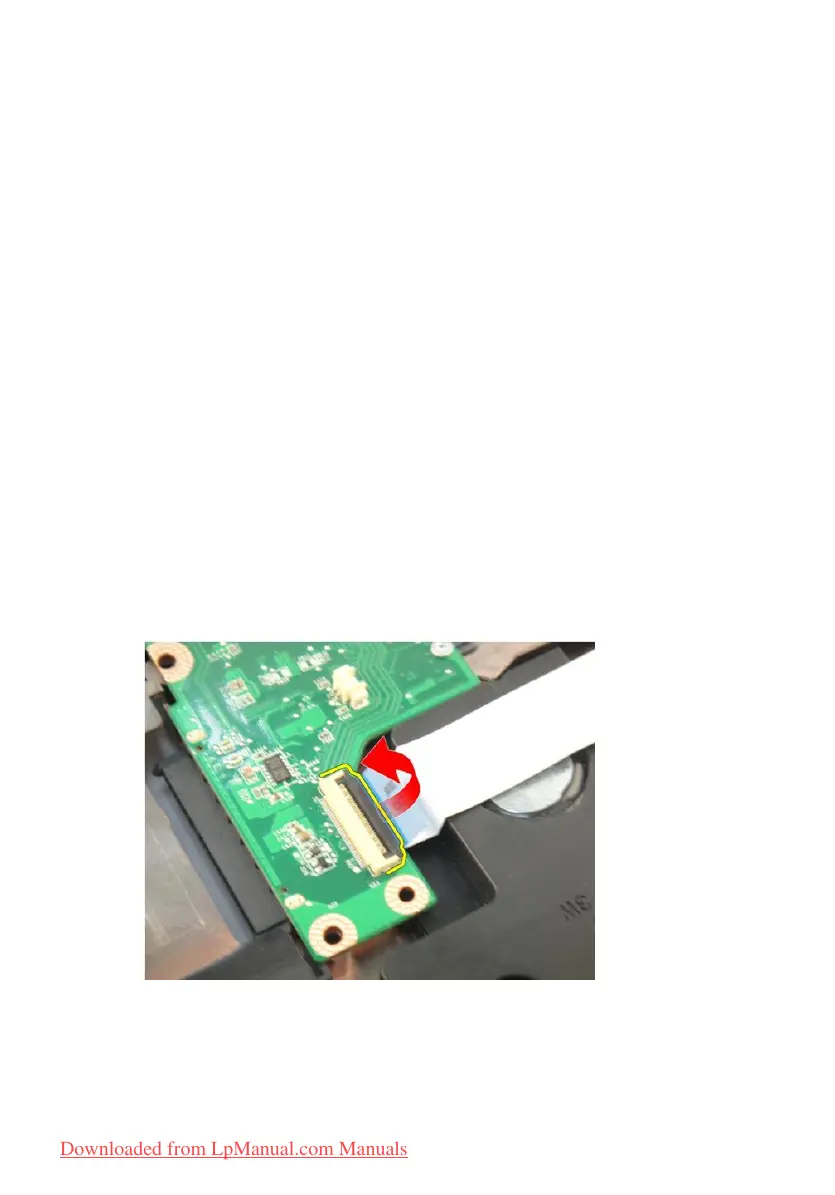
7. Release the latch on the system board connector and then disconnect the
ExpressCard board cable.
8. Release the latch on the ExpressCard board connector and then disconnect
the ExpressCard cable.
87
Downloaded from LpManual.com Manuals


 To Next Page