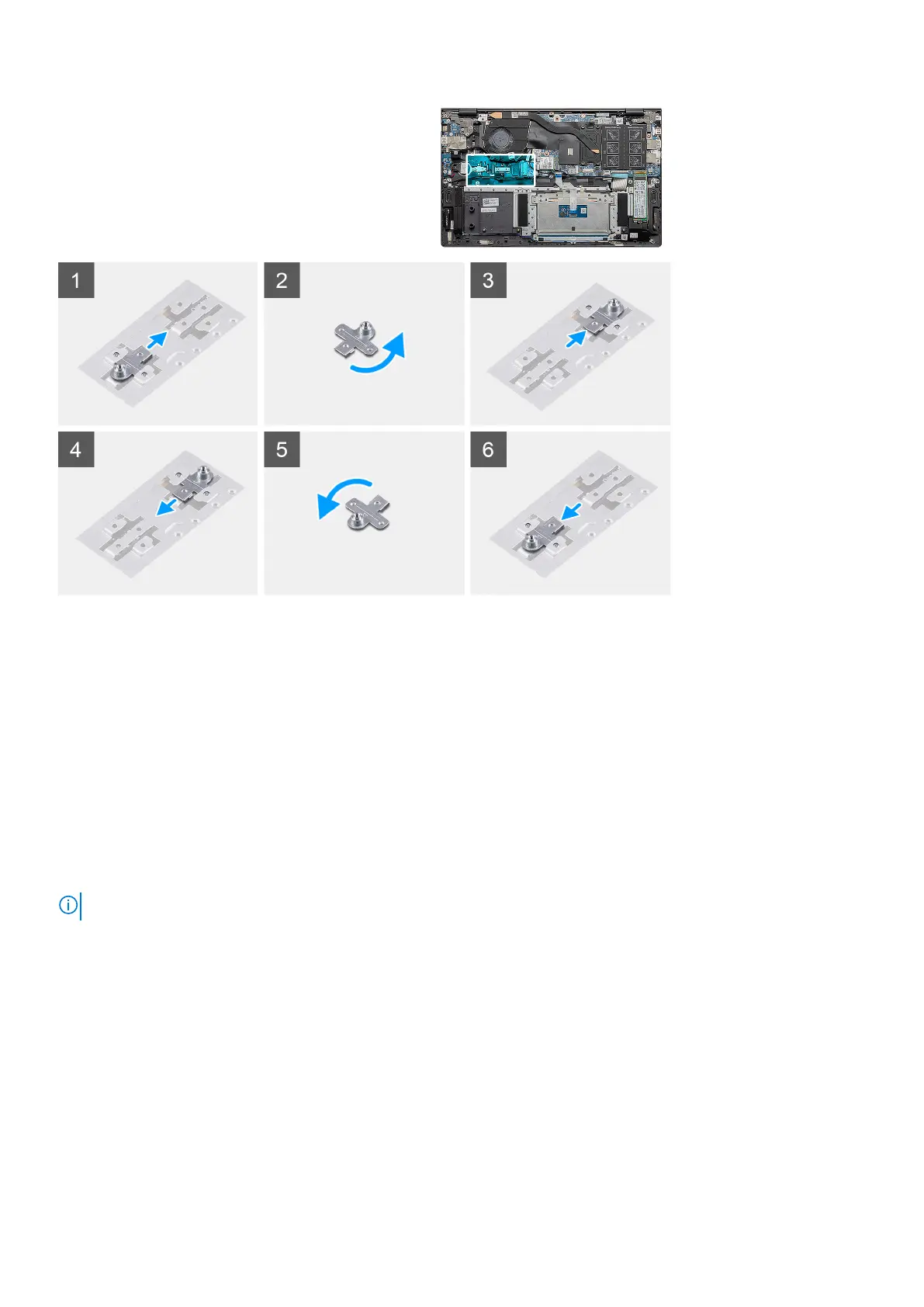
Steps
1. Slide and remove the SSD support bracket from the support bracket slot.
2. Depending on the type of solid-state drive (M.2 2230/ M.2 2280), align and insert the SSD support bracket into the support bracket
slot.
3. Install the solid-state drive.
Removing the M.2 2230 solid-state drive - SSD-2
Prerequisites
1. Follow the procedure in before working inside your computer.
2. Remove the base cover.
3. Disconnect the battery.
NOTE: Both slots 1 and 2 support M.2 2230 and M.2 2280 SSD.
About this task
The figure indicates the location of the M.2 2230 solid-state drive and provides a visual representation of the removal procedure from SSD
slot 2:
26
Disassembly and reassembly














 To Next Page