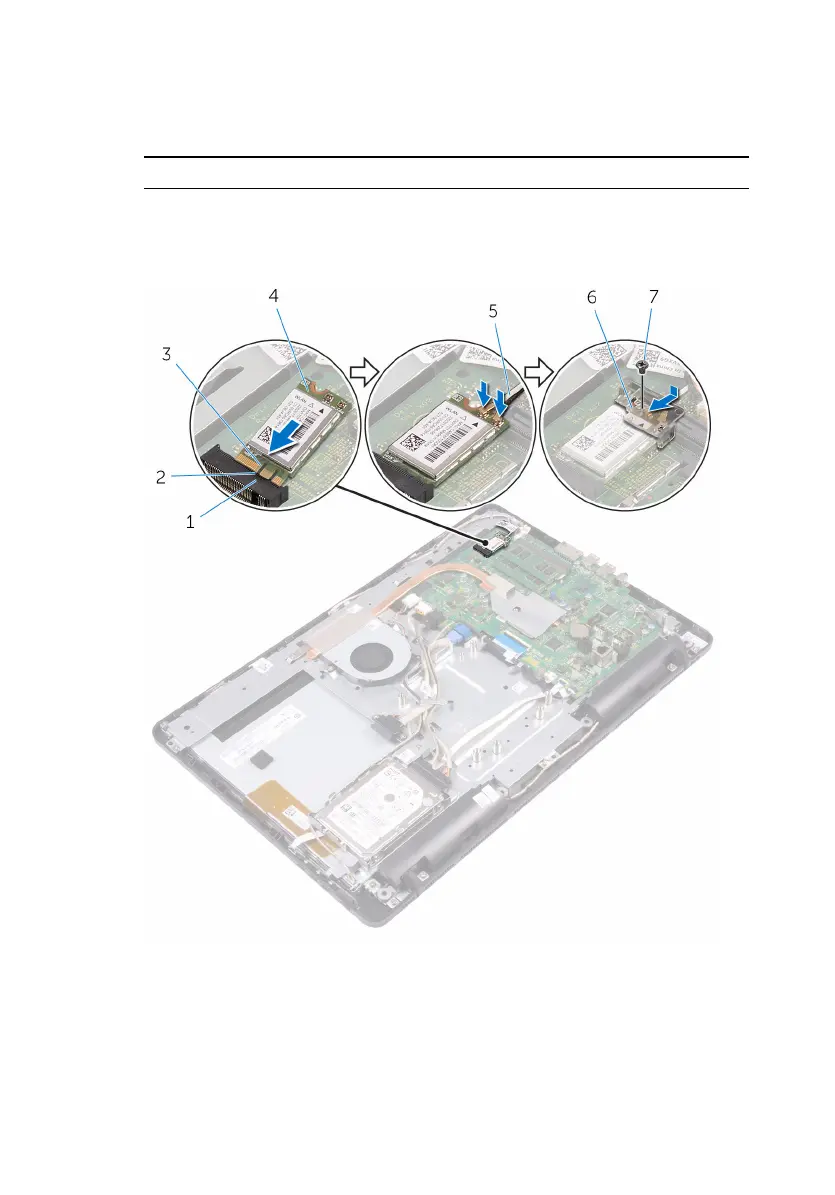
3 Connect the antenna cables to the wireless card.
The following table provides the antenna-cable color scheme for the
wireless card supported by your computer:
Connectors on the wireless card Antenna-cable color
Main (white triangle) White
Auxiliary (black triangle) Black
1 wireless-card slot 2 tab
3 notch 4 wireless card
5 antenna cables 6 wireless-card bracket
7 screw
38







 To Next Page