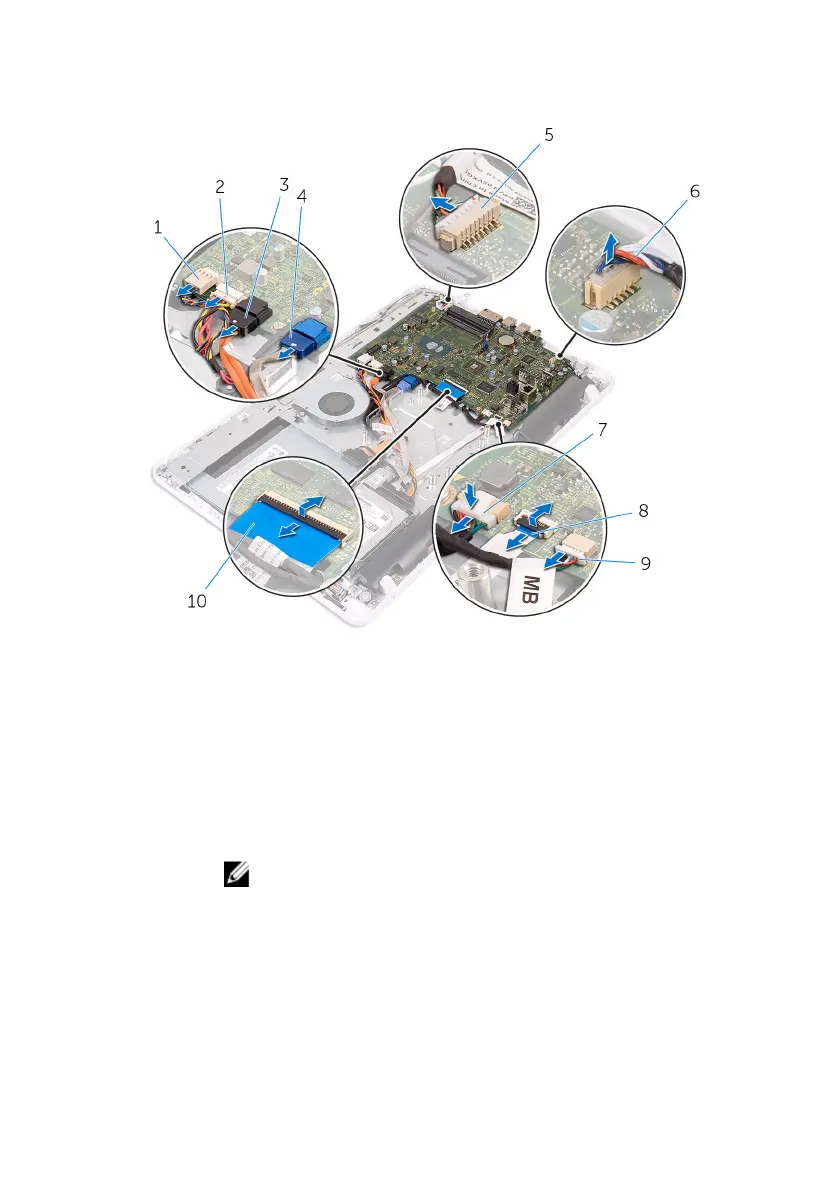
2 Open the latches and disconnect the control-buttons board cable and
display cable from the system board.
1 fan cable 2 hard-drive and optical-
drive power cable
3 optical-drive data cable 4 hard-drive data cable
5 microphone and camera
cable
6 speaker cable
7 display-panel power cable 8 control-buttons board
cable
9 touch-board cable
NOTE: The touch-
board cable is not
available on the non-
touch systems.
10 display cable
3 Remove the screws that secure the system board to the display-assembly
base.
66







 To Next Page