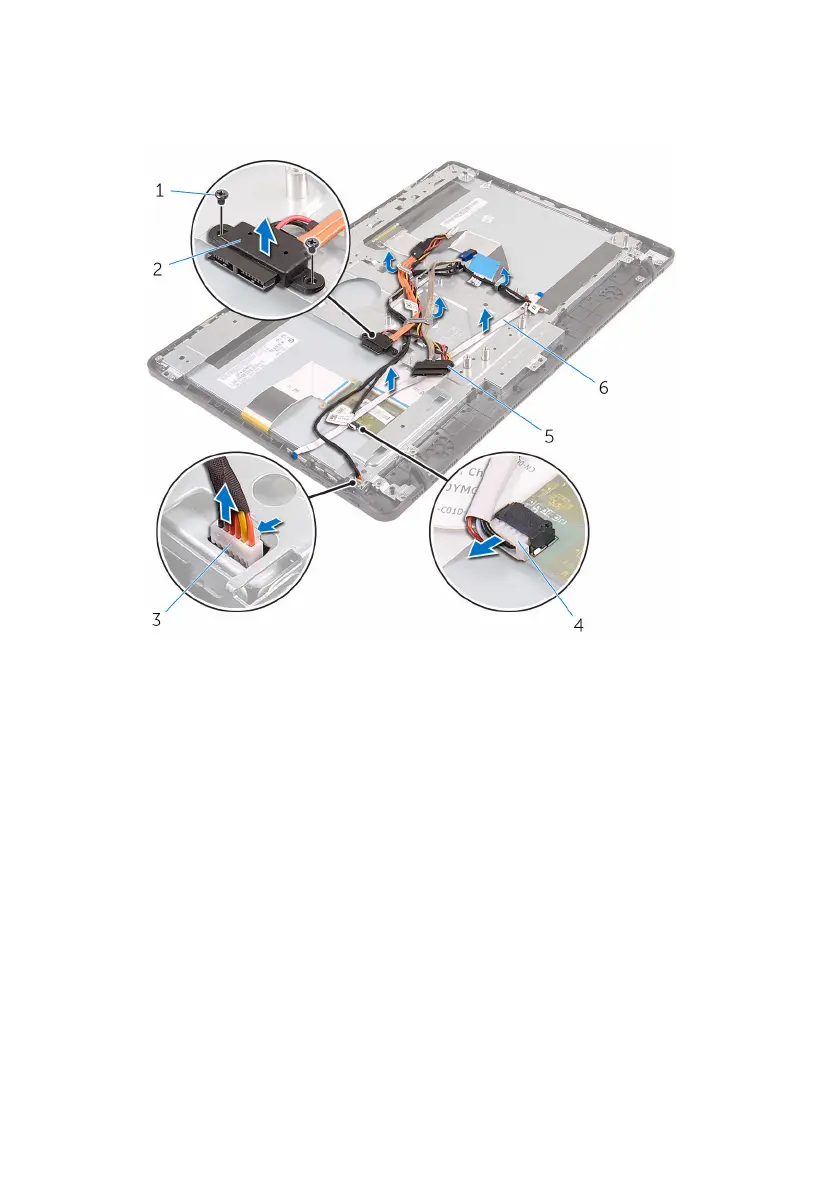
3 Note the routing of the optical-drive data, touch-board, display backlight,
hard drive, and control-buttons board cables and remove the cables from
the routing guides on the display-assembly base.
1 screws (2) 2 optical-drive data cable
3 display-panel backlight
cable
4 touch-screen board cable
5 hard-drive cable 6 control-buttons board
cable
4 Remove the screws that secure the display-assembly base to the display
assembly.
73







 To Next Page