Steps
1. Remove the 19 screws (M3x5) that secure the base panel to the display-assembly base.
2. Remove the base panel and lift the base panel off the display-assembly base.
Installing the base panel
Prerequisites
If you are replacing a component, remove the existing component before performing the installation procedure.
About this task
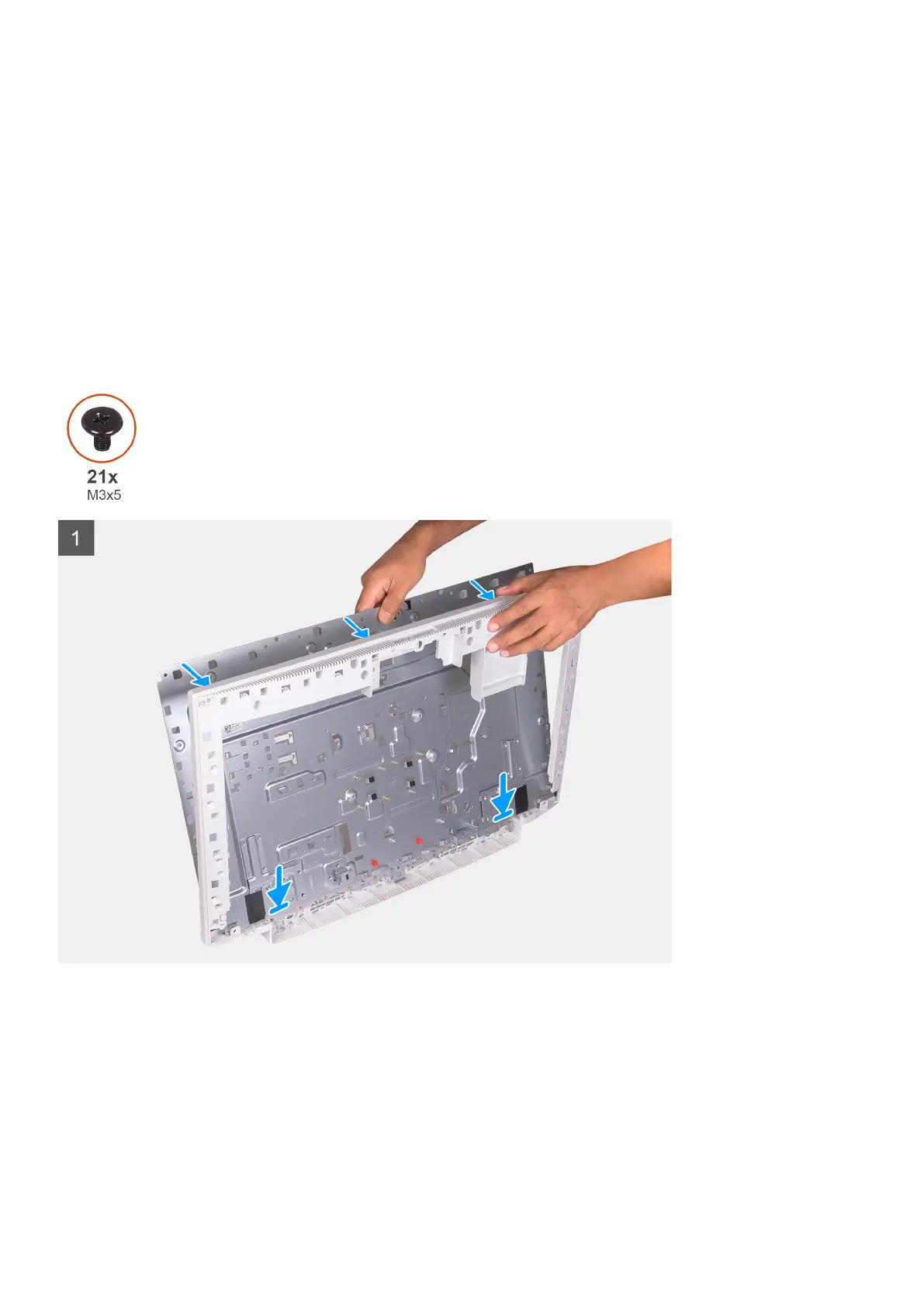
The following image indicates the location of the base panel and provides a visual representation of the installation procedure.
Removing and installing components 53







 To Next Page