Steps
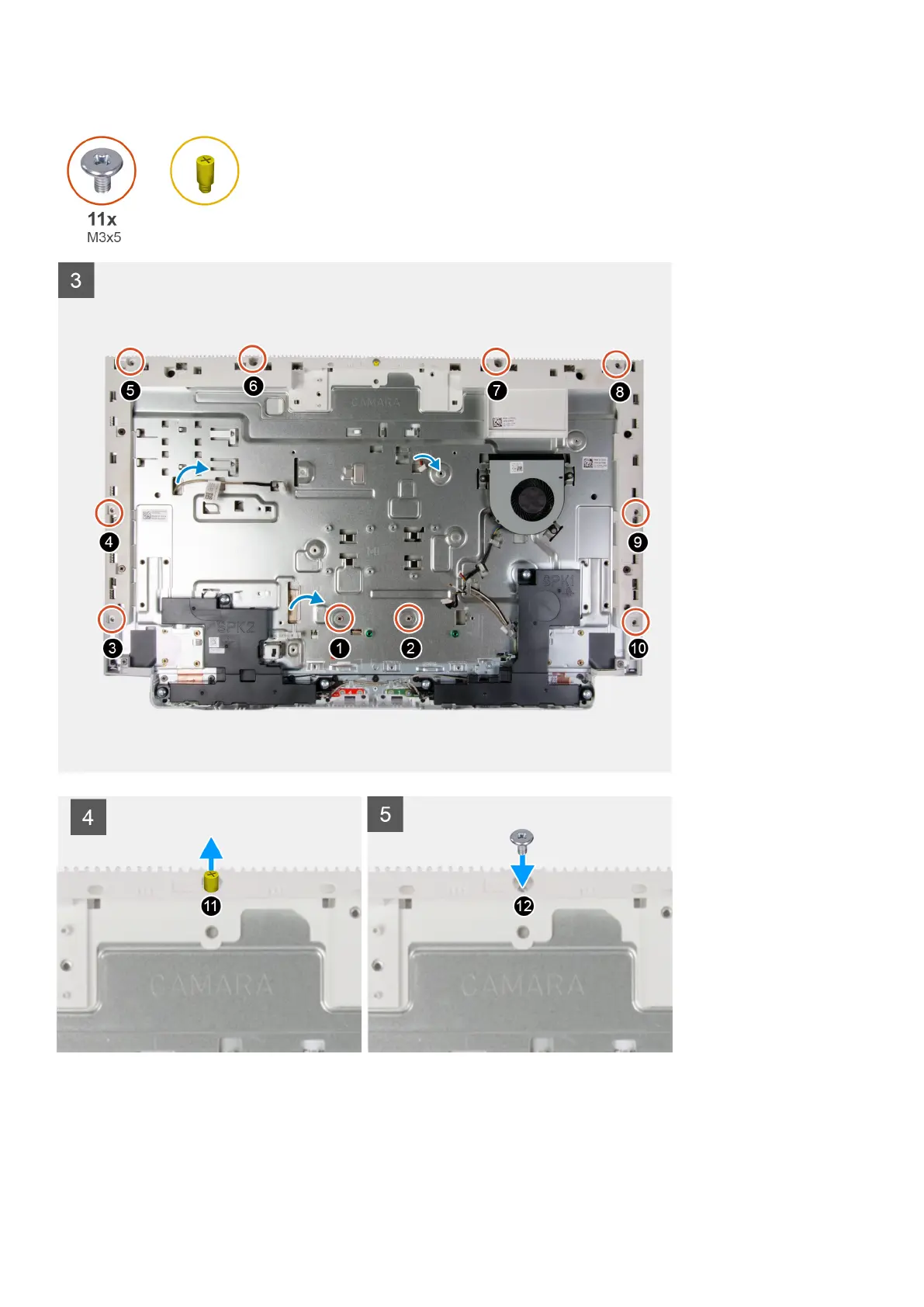
1. Align and place the display panel on the slots of the display-assembly base.
2. Route the display back-light, touch screen and display cable though the slots on the display assembly base.
3. Place the display-assembly base on a clean and flat surface with the display panel facing down.
4. Replace the 10 screws (M3x5) that secure the display panel to the display-assembly base.
58
Removing and installing components







 To Next Page