Chapter 1: Introduction................................................................................................................. 7
Chapter 2: Dell XC Core XC660 overview.......................................................................................8
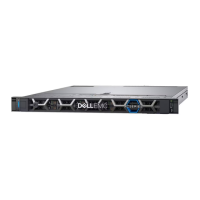
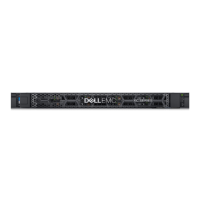
Front view of the system...................................................................................................................................................8
Left control panel view.................................................................................................................................................9
Right control panel view.............................................................................................................................................10
Rear view of the system................................................................................................................................................... 11
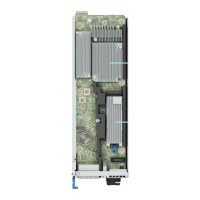
Inside the system .............................................................................................................................................................. 13
Locate Express Service Code and Service Tag.......................................................................................................... 16
System information labels................................................................................................................................................ 16
Rail sizing and rack compatibility matrix.......................................................................................................................18
Chapter 3: Initial system setup and configuration........................................................................ 19
System setup...................................................................................................................................................................... 19
iDRAC configuration..........................................................................................................................................................19
Options to set up iDRAC IP address........................................................................................................................19
Options to log in to iDRAC........................................................................................................................................ 20
Resources to install operating system.......................................................................................................................... 21
Options to download drivers and firmware ...........................................................................................................21
Options to download and install operating system drivers ............................................................................... 21
Download drivers and firmware............................................................................................................................... 22
Chapter 4: Pre-operating system management applications........................................................ 23
Set up the system............................................................................................................................................................. 23
Access the system BIOS............................................................................................................................................23
Access miscellaneous settings................................................................................................................................. 40
iDRAC Settings............................................................................................................................................................. 41
Device Settings.............................................................................................................................................................41
Service Tag Settings................................................................................................................................................... 41
Dell Lifecycle Controller....................................................................................................................................................41
Embedded system management...............................................................................................................................41
Boot Manager..................................................................................................................................................................... 41
PXE boot............................................................................................................................................................................. 42
Chapter 5: Minimum to POST and system management configuration validation......................... 43
Minimum configuration to POST ..................................................................................................................................43
Configuration validation................................................................................................................................................... 43
Error messages............................................................................................................................................................ 44
Chapter 6: Installing and removing system components ............................................................. 45
Safety instructions............................................................................................................................................................45
Before working inside your system ..............................................................................................................................46
After working inside your system..................................................................................................................................46
Recommended tools......................................................................................................................................................... 46
Contents
Contents 3





 To Next Page