Table 1. Features available on the front of the system(continued)
Item Ports, panels, and
slots
Icon Description
5 Information Tag N/A Slide-out label panel that contains the Service Tag, NIC, MAC
address, and other system information. The Information tag
contains the iDRAC secure default password for systems that
have the secure default access to iDRAC.
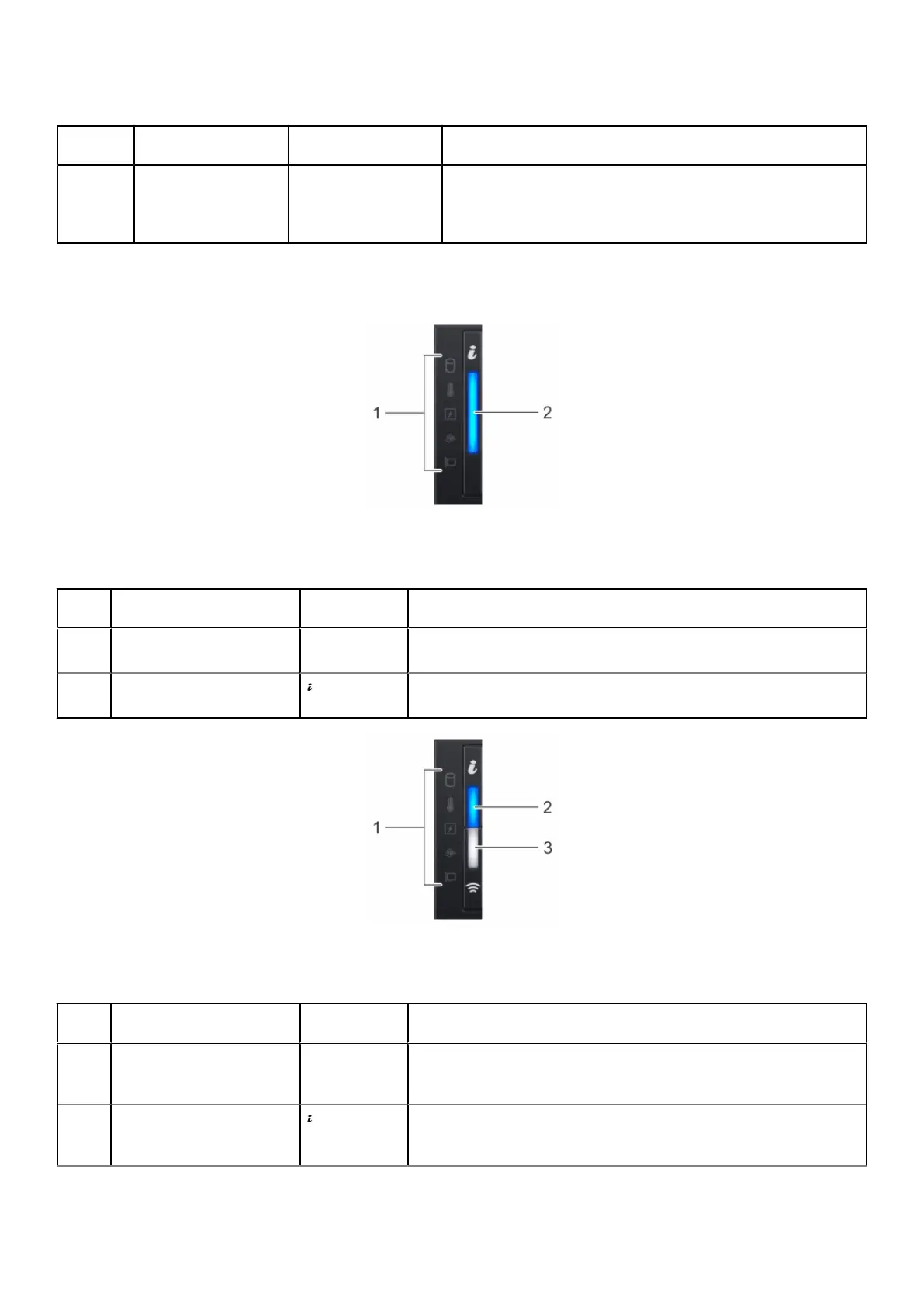
Left control panel view
Figure 2. Left control panel
Table 2. Left control panel
Item Indicator, button, or
connector
Icon Description
1 Status LED indicators N/A Indicates the status of the system. For more information, see the
Status LED indicators section.
2 System health and system
ID indicator
Indicates the status of the system. For more information, see the
System health and system ID indicator codes section.
Figure 3. Left control panel with optional iDRAC Quick Sync 2 indicator
Table 3. Left control panel with optional iDRAC Quick Sync 2 indicator
Item Indicator, button, or
connector
Icon Description
1 Status LED indicators N/A Displays the status of the system. For more information about the
various symbol descriptions and the related codes, see the Status LED
indicators section.
2 System health and system
ID indicator
Signifies the system health. For more information about the various
codes and their meaning, see the System health and system ID
indicator codes section.
Dell XC Core XC660 overview 9



 To Next Page