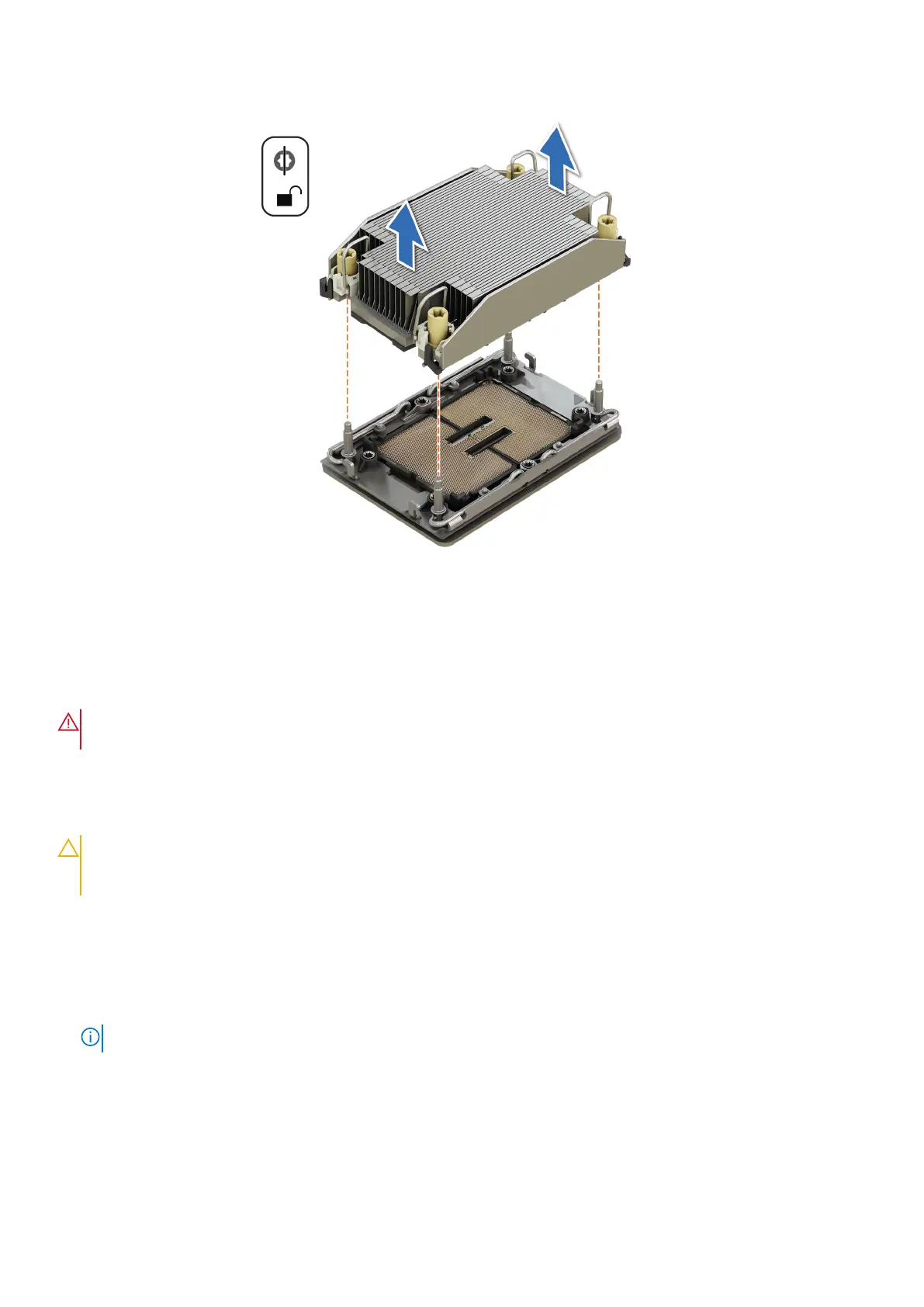
Figure 64. Removing a heat sink
Removing the processor from the processor heat sink module
Prerequisites
WARNING:
Remove the processor from processor and heat sink module (PHM) only if you are replacing the
processor or heat sink.
1. Follow the safety guidelines listed in the Safety instructions.
2. Follow the procedure listed in the Before working inside your system.
3. If installed, remove the air shroud.
4. Remove the processor and heat sink module (PHM).
CAUTION:
You may find the CMOS battery loss or CMOS checksum error displayed during the first instance of
powering on the system after replacing the processor or system board. To fix this, simply go to setup option to
configure the system settings.
Steps
1. Place the heat sink with the processor side facing up.
2. Using your thumb, lift the thermal interface material (TIM) break lever to release the processor from the TIM and retaining
clip.
3. Holding the processor by the edges, lift the processor away from the retaining clip.
NOTE: Ensure to hold the retaining clip to the heat sink as you lift the TIM break lever.
Installing and removing system components 85



 To Next Page