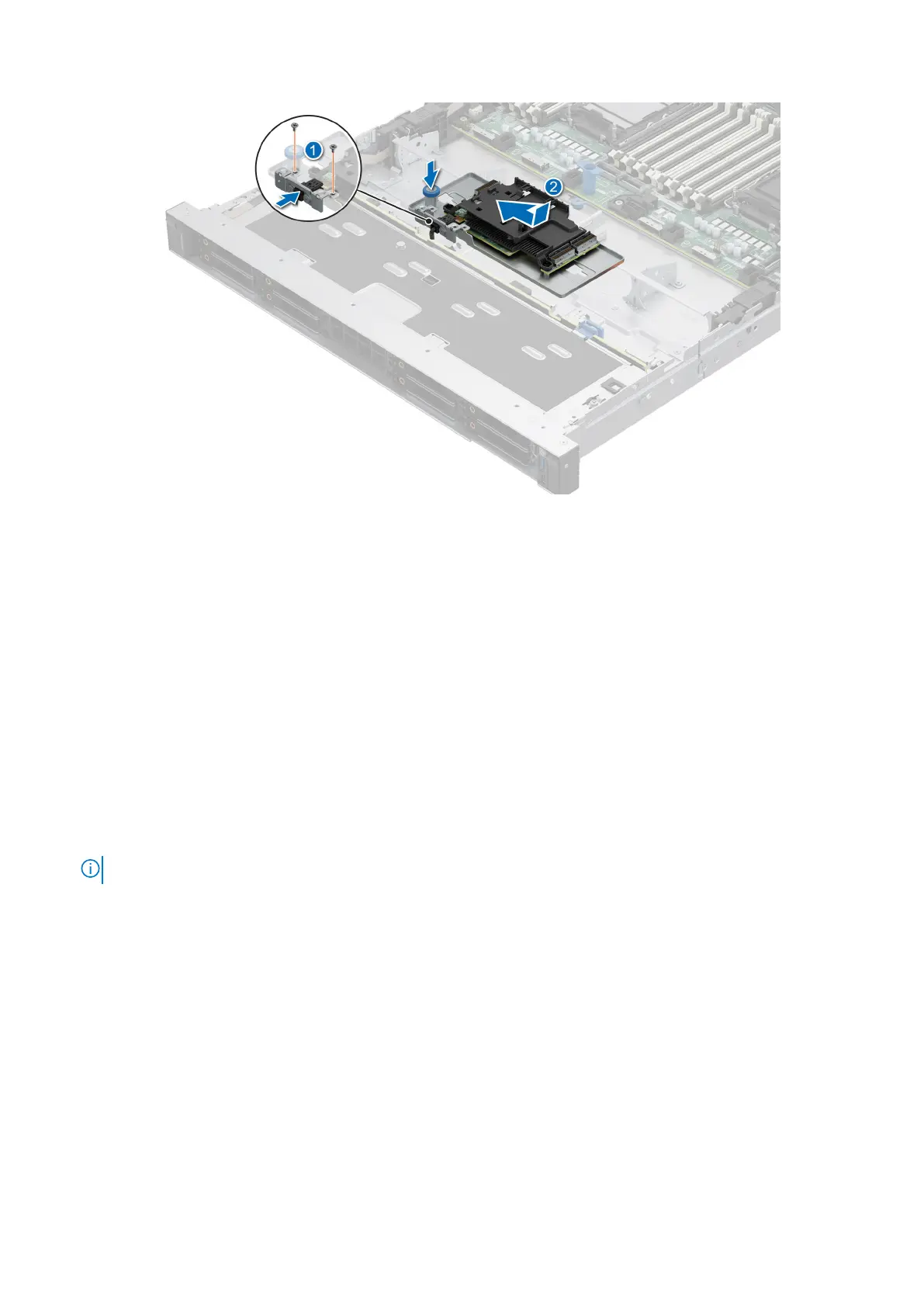
Figure 50. Installing the front mounting front PERC card
Removing the rear mounting front PERC module
Prerequisites
1. Follow the safety guidelines listed in the Safety instructions.
2. Follow the procedure listed in the Before working inside your system.
3. Remove the drive backplane cover.
4. If installed, remove the air shroud.
5. Remove the drive backplane.
6. Disconnect all the cables, observe the cable routing.
Steps
1. Using a Phillips #2 screwdriver, loosen the captive screws on the front PERC module.
2. Slide the front PERC module to disengage from the connector on the drive backplane.
NOTE: The numbers on the image do not depict the exact steps. The numbers are for representation of sequence.
Installing and removing system components 73



 To Next Page