Removing the PCH shroud
Prerequisites
CAUTION: Never operate your system with the air shroud removed. The system may get overheated quickly,
resulting in shutdown of the system and loss of data.
1. Follow the safety guidelines listed in the Safety instructions.
2. Follow the procedure listed in Before working inside your system.
NOTE: The PCH shroud is installed on systems with no riser configuration.
Steps
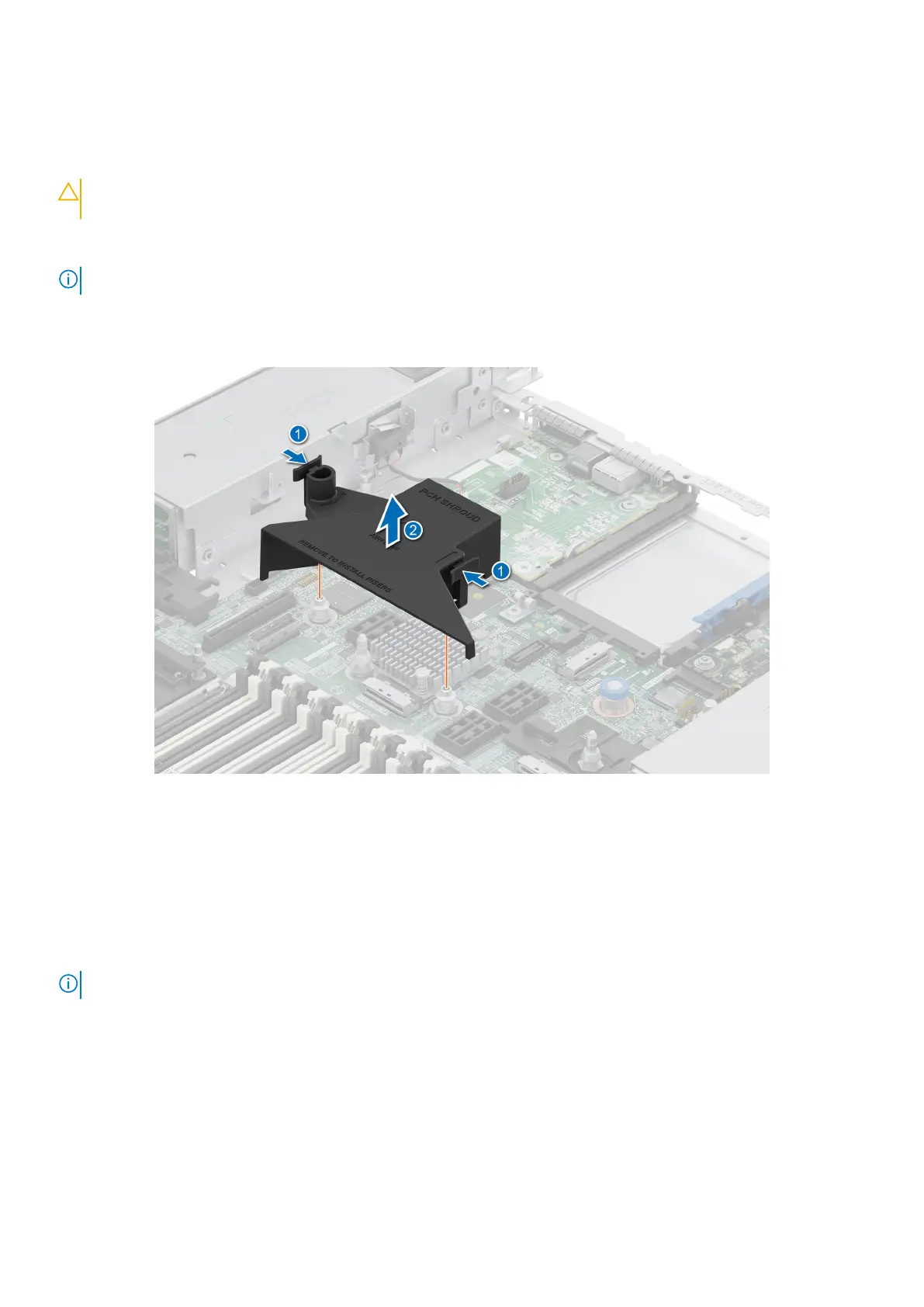
Press the latches and lift the PCH shroud out of the system board.
Figure 29. Removing the PCH shroud
Installing the PCH shroud
Prerequisites
1. Follow the safety guidelines listed in the Safety instructions.
2. Follow the procedure listed in Before working inside your system.
NOTE: The PCH shroud is installed on systems with no riser configuration.
Steps
1. Align the slots on the PCH shroud with the guide pins on the system board.
2. Press the latches and lower the PCH shroud on to the system board until it is firmly seated.
56
Installing and removing system components



 To Next Page