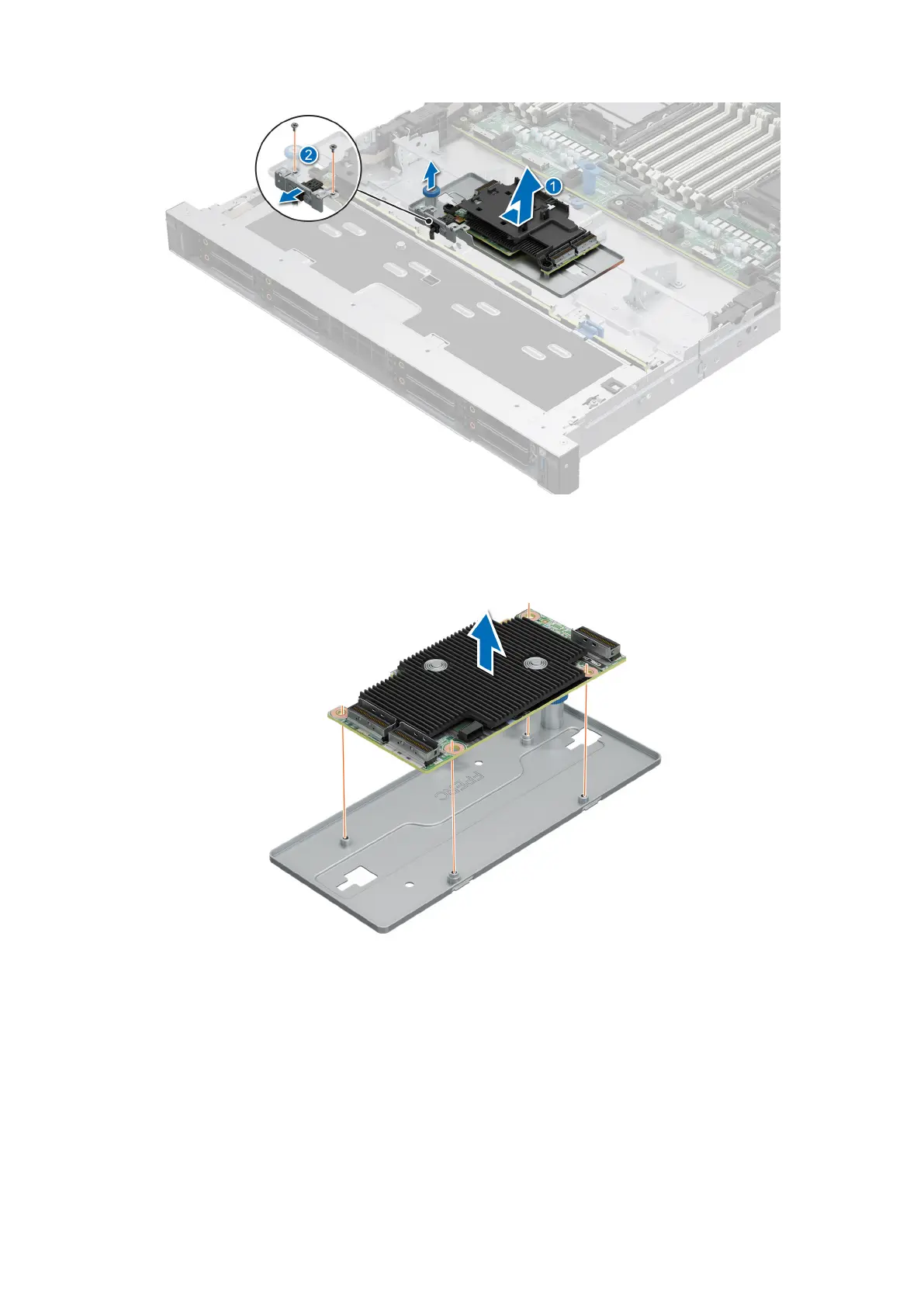
Figure 47. Removing the front mounting front PERC card
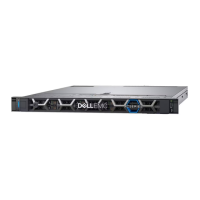
5. Remove the front PERC card from the PERC mounting tray.
Figure 48. Removing the front PERC card from the PERC mounting tray
Installing the front mounting front PERC module
Prerequisites
1. Follow the safety guidelines listed in the Safety instructions.
2. Follow the procedure listed in Before working inside your system.
3. Remove the drive backplane cover.
4. If installed, remove the air shroud.
Installing and removing system components
71





 To Next Page