Rear drive module
Removing the rear drive module
Prerequisites
1. Follow the safety guidelines listed in the Safety instructions.
2. Follow the procedure listed in Before working inside your system.
3. If installed, remove the air shroud.
4. Remove the rear drives.
5. Disconnect all the cables from the rear drive module.
6. If installed, remove the expansion card riser
Steps
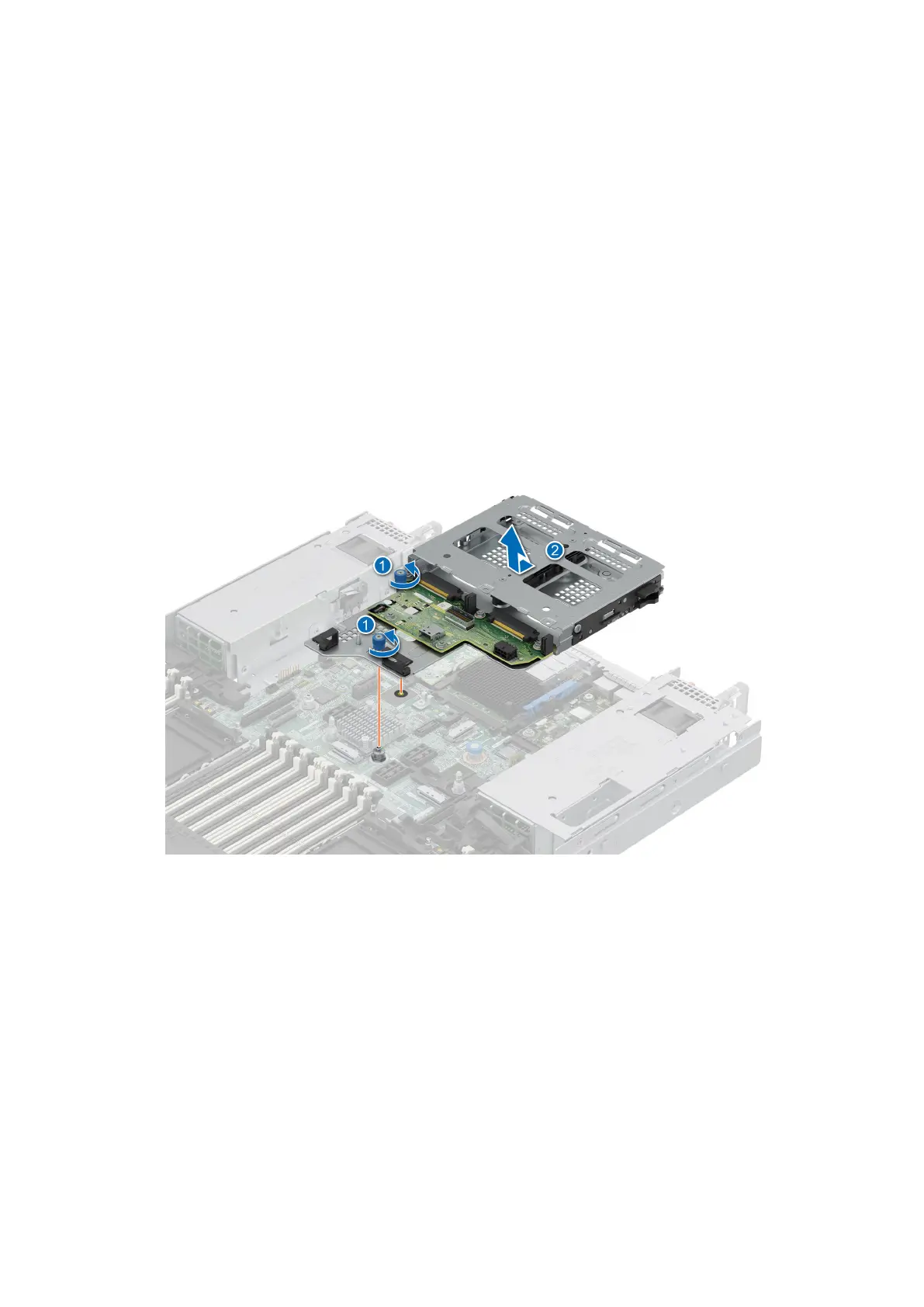
1. Using a Phillips #1 screwdriver, loosen the captive screws on the rear drive module.
2. Slide the rear drive module forward and then lift it away from the system.
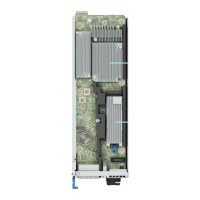
Figure 55. Removing the rear drive module
Installing the rear drive module
Prerequisites
1. Follow the safety guidelines listed in the Safety instructions.
2. Follow the procedure listed in Before working inside your system.
3. If installed, remove the air shroud.
Steps
1. Align the rear drive module with the guide on the system board.
2. Lower the rear drive module and slide it to the backward till it clicks.
3. Using a Phillips #1 screwdriver, tighten the captive screws on the rear drive module.
76
Installing and removing system components





 To Next Page