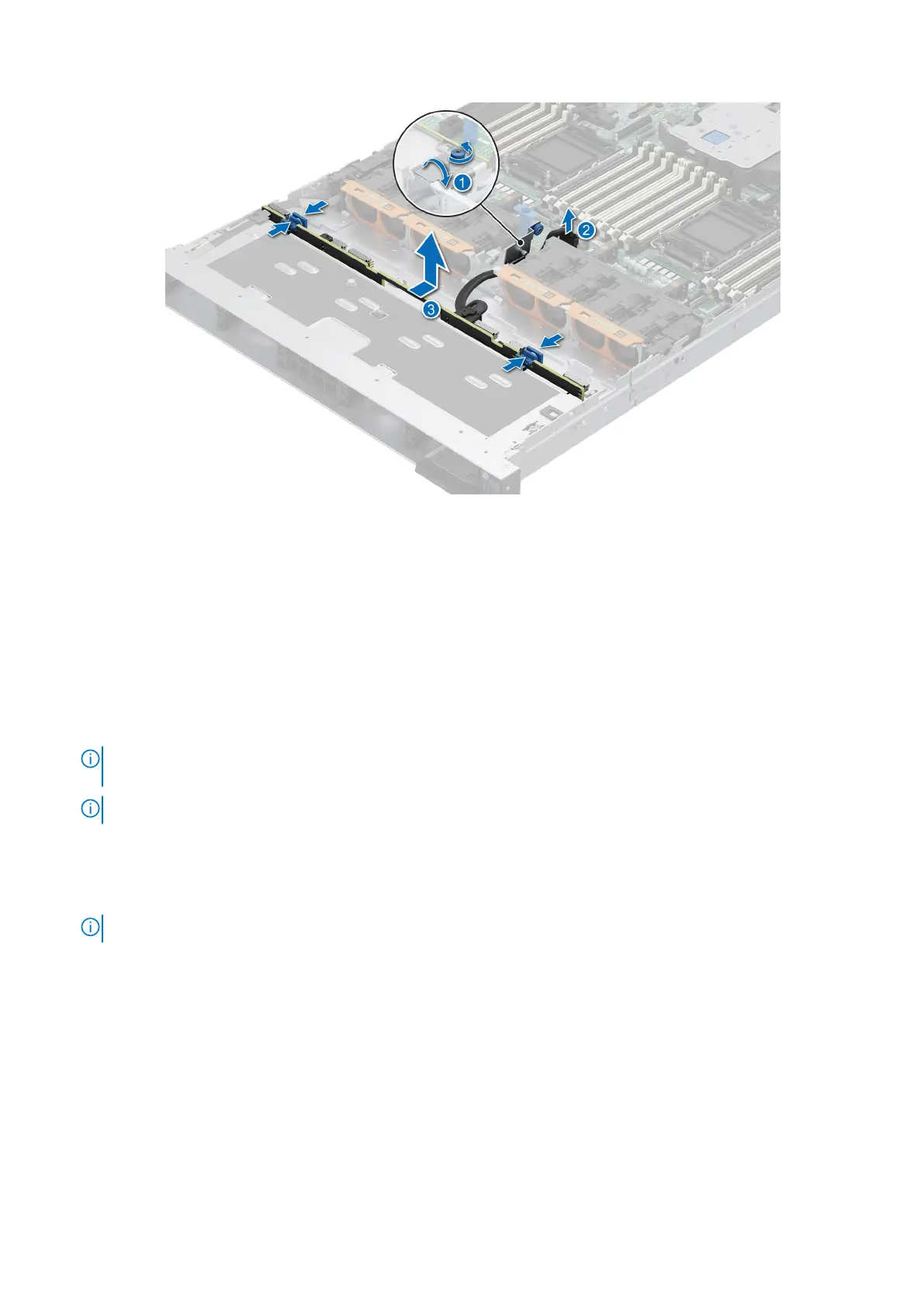
Figure 40. Removing the drive backplane
Installing the drive backplane
Prerequisites
1. Follow the safety guidelines listed in the Safety instructions.
2. Follow the procedure listed in Before working inside your system.
3. If installed, remove the air shroud.
4. Remove the drive backplane cover.
5. Remove the drive carrier.
NOTE:
To avoid damaging the backplane, ensure to move the control panel cables from the cable routing clips before
removing the backplane.
NOTE: Route the cables properly when you replace it to prevent the cables from being pinched or crimped.
Steps
1. Use the guides on the system to align the slots on the backplane.
2. Insert the backplane into the guides and lower the backplane until the blue release tabs clicks into place.
NOTE: The numbers on the image do not depict the exact steps. The numbers are for representation of sequence.
Installing and removing system components 65



 To Next Page