EasyManua.ls Logo

Delsys TRIGNO - Internal Magnetic Switch; Sensor LED Feedback States

Delsys TRIGNO
32 pages
Print Icon
To Next Page IconTo Next Page
To Previous Page IconTo Previous Page
Loading...
Trigno™ Wireless Biofeedback System
- 11 -
Internal Magnetic Switch
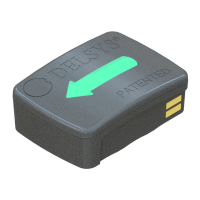
The Trigno Galileo sensors are equipped with an internal magnetic switch which
is used to turn the sensors “on” and to perform RF pairing operations. To
activate the internal magnetic switch, the sensor must be placed on the magnet
lock label located on the Base Station charging cradle. The internal magnetic
switch will only react when the sensors are undocked from the charger or when
the software is performing an RF pairing operation. Exposure to any magnetic
fields outside of these 2 qualifying conditions will be ignored by the sensor. The
internal magnetic switch is a feature which removes the need for a mechanical
button and improves sensor durability and performance.
Sensor LED Feedback States
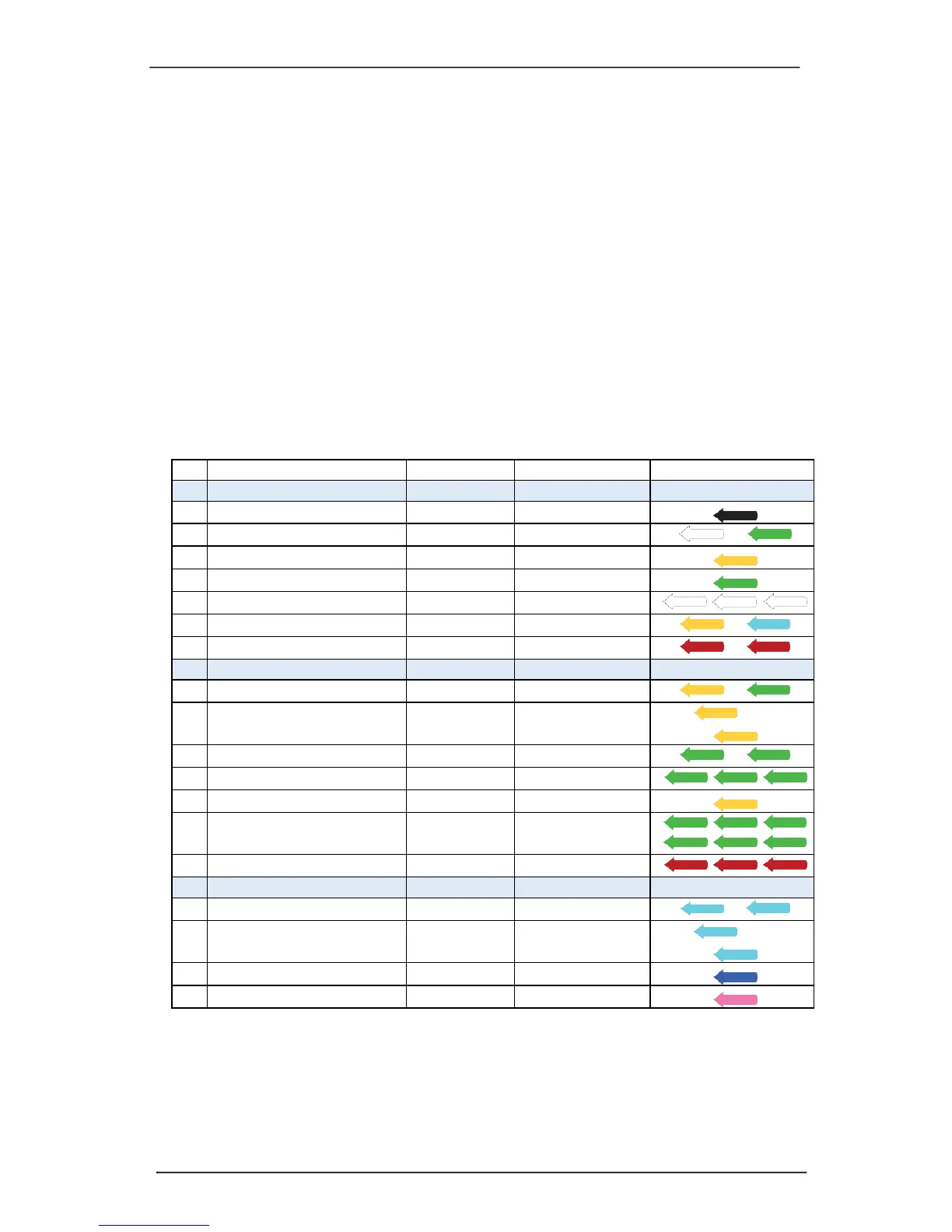
Trigno Galileo sensors indicate their status through various LED Arrow colors
and blink patterns as indicated in the table below. Each of these states is
described in subsequent sections of this User Guide.

State
Color
Pattern
Arrow Display
Common States
1
Power Off
Off
none
2
Power On/Activate
White/Green
fade
/
3
Charging
Amber
solid
4
Charge Complete
Green
solid
5
Identification Mode
White
rapid flash
/ /
6
Scan (Startup)
Amber/Cyan
slow flash
/
7
Power Up Error
Red
slow flash
/
Trigno RF Mode
8
Scan (Base)
Amber/Green
Slow flash
/
9
Low Power Scan (Base)
Amber
Occasional Flash
/
10
Data Collection (Base)
Green
slow flash
/
11
Configuration Change (Base)
Green
rapid flash (3x)
/ /
12
Pairing (Base)
Amber
solid
13
Pairing Success (Base)
Green
rapid flash (≥6x)
/ /
/ /
14
Pairing Fail (Base)
Red
double flash(≥3x)
/ /
BLE Mode
15
Advertise (BLE)
Cyan
Slow flash
/
16
Low Power Advertise (BLE)
Cyan
occasional flash
/
17
Data Collection (BLE)
Blue
slow flash
18
Idle (BLE)
Magenta
slow flash
Table 1: Sensor LED functions.

Related product manuals