Delta Din-rail Power Meter DPM- D510 User Manual
4- 4
4.2.2 Communication Setup (COM)
Address (Addr): device ID; its address setting range is 1-254 (default: 1).
Baud Rate (BAud): transmission speed; the setting options are 9600 bps (9.6k) (default), 19200(19.2k)
and 38400 bps (38.4k).
Parity setting (Prty): odd and even checking bit for communication; the setting options are None (8n1),
Even (8E1), and Odd (8o1); default: None.
Steps:
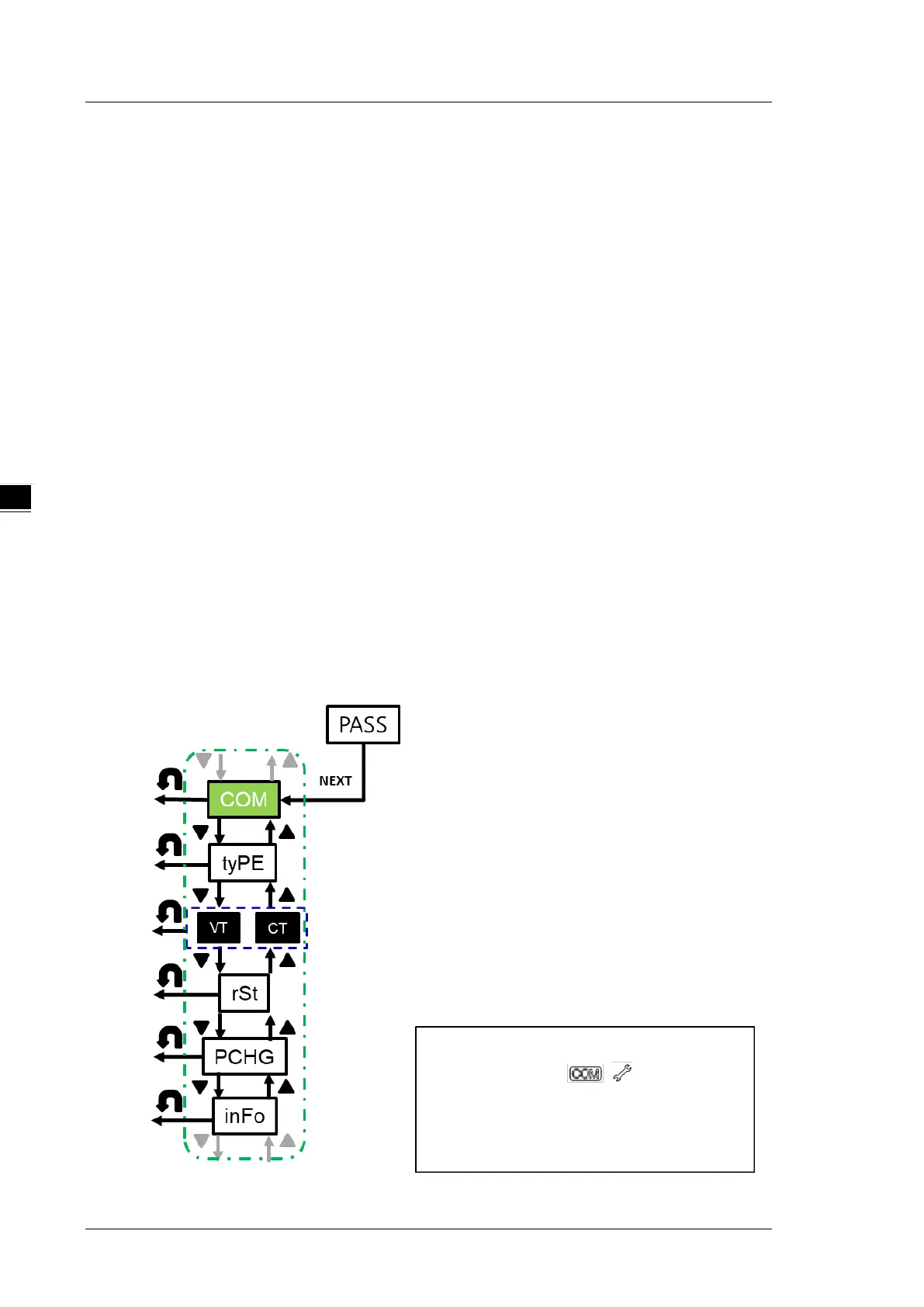
1. Press NEXT key when the COM icon is displayed to enter the setting menu under COM.
2. Use UP and DOWN keys to select the device ID (Addr), baud rate (bAud) and parity (Prty).
3. When Addr is shown on the display, press NEXT key to confirm the setting and start to use UP and
DOWN keys to select the desired device ID.
4. When bAud is shown on the display, press NEXT key to confirm the setting and start to use UP and
DOWN keys to select the desired baud rate.
5. When Prty is shown on the display, press NEXT key to confirm the setting and start to use UP and
DOWN keys to select the desired parity.
6. In steps 3-5, use UP and DOWN key to choose each digit and press NEXT to confirm the setting.
The setting sequence for the three-digit number of device ID is hundreds digit
tens digit
units digit; you are allowed to set only one digit at a time.
*Note: You can go back to the previous setting item by pressing BACK key anytime, whether you
have completed or canceled the setting.


 To Next Page