Delta Din-rail Power Meter DPM- D510 User Manual
4- 6
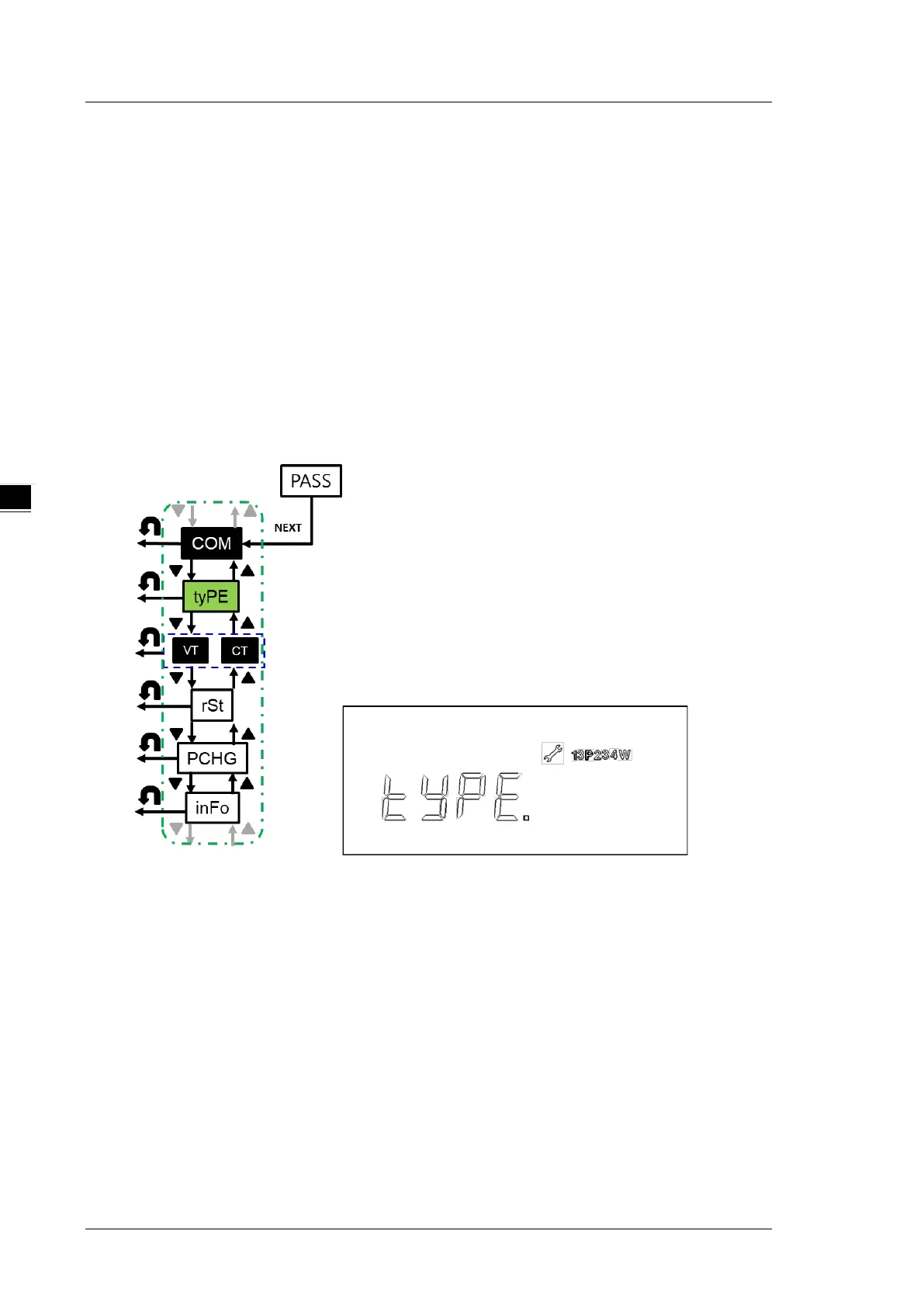
4.2.3 Wiring Type (tyPE)
Connection types: options are one-phase two-wire (1P2W), one-phase three-wire (1P3W), three-phase
three-wire (3P3W), and three-phase four-wire (3P4W); default: three-phase four-wire (3P4W).
Steps:
1. Press NEXT key when the tyPE icon is shown on the left side of the display, then the previous
connection type setting would be displayed
(13P234W icon). Press NEXT to configure the
setting.
2. Press UP and DOWN keys to select the desired connection type.
3. Press NEXT key to confirm the setting.
*Note: You can go back to the previous setting item by pressing BACK key anytime, whether you have
completed or canceled the setting.
4.2.4 VT and CT Setup (VT CT)
VT number (VT): The number of voltage transformers that is currently being used. Options are 0 (0VT),
2(2VT) and 3(3VT). The default is 3.
CT number (CT): The number of current transformers that is currently being used. Options are 1 (1VT),
2(2VT) and 3(3VT). The default is 3
VT ratio (VT Pri / VT SEC): Volt for the primary-side current transformer, ranging from 1 to 9999 V; default:
1 V. Volt for the secondary-side current transformer, ranging from 1 to 9999 V; default: 1 V.
CT ratio (CT Pri / CT SEC): Ampere for the primary-side current transformer, ranging from 1 to 9999 A;
default: 5 A. Ampere for the secondary-side current transformer, selecting between 1A and 5A; default:
5A.


 To Next Page