Chapter 4 Operation
4- 9
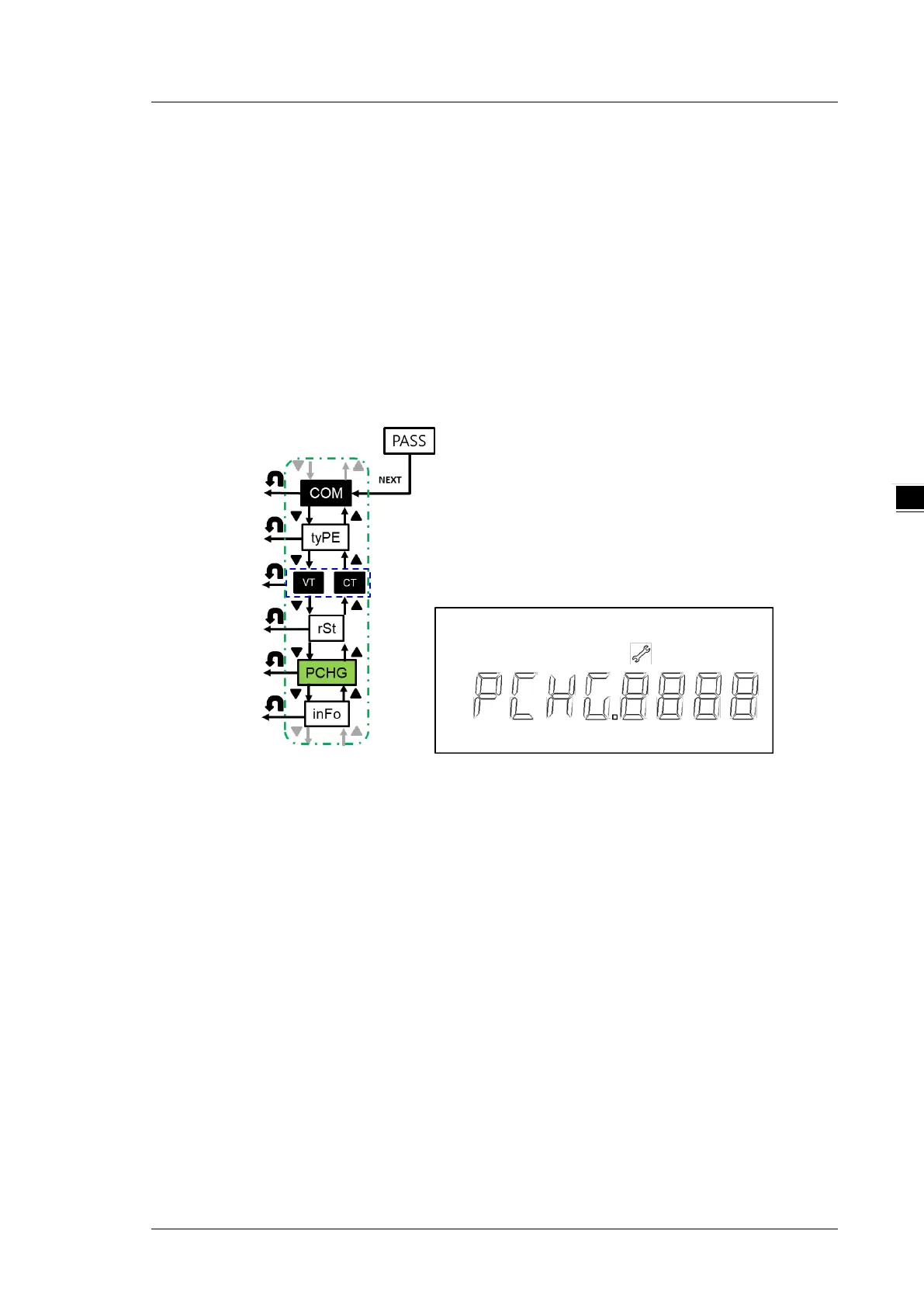
4.2.6 Edit Password (PCHG)
Edit the password (default 0000)
Steps:
1. Press NEXT key till the first digit starts blinking
2. Use UP and DOWN keys to select the first digit of the password
3. Press NEXT key to confirm the setting and start to set the next digital input.
4. Repeat steps 2-3 till you complete the setting of the 4 digit password.
5. Press NEXT key to confirm the setting.
Note: You can go back to the previous setting item by pressing BACK key anytime, whether you have
completed or canceled the setting.
4.2.7 Meter Information (INFO)
Firmware version (VEr): M.XX (M is the version number. Before mass production = 0; after mass
production >=1)
Firmware release date (dAtE): MMDD (MM=month; DD= day)


 To Next Page