Step 6: Start a New Project
deltamotion.com 9
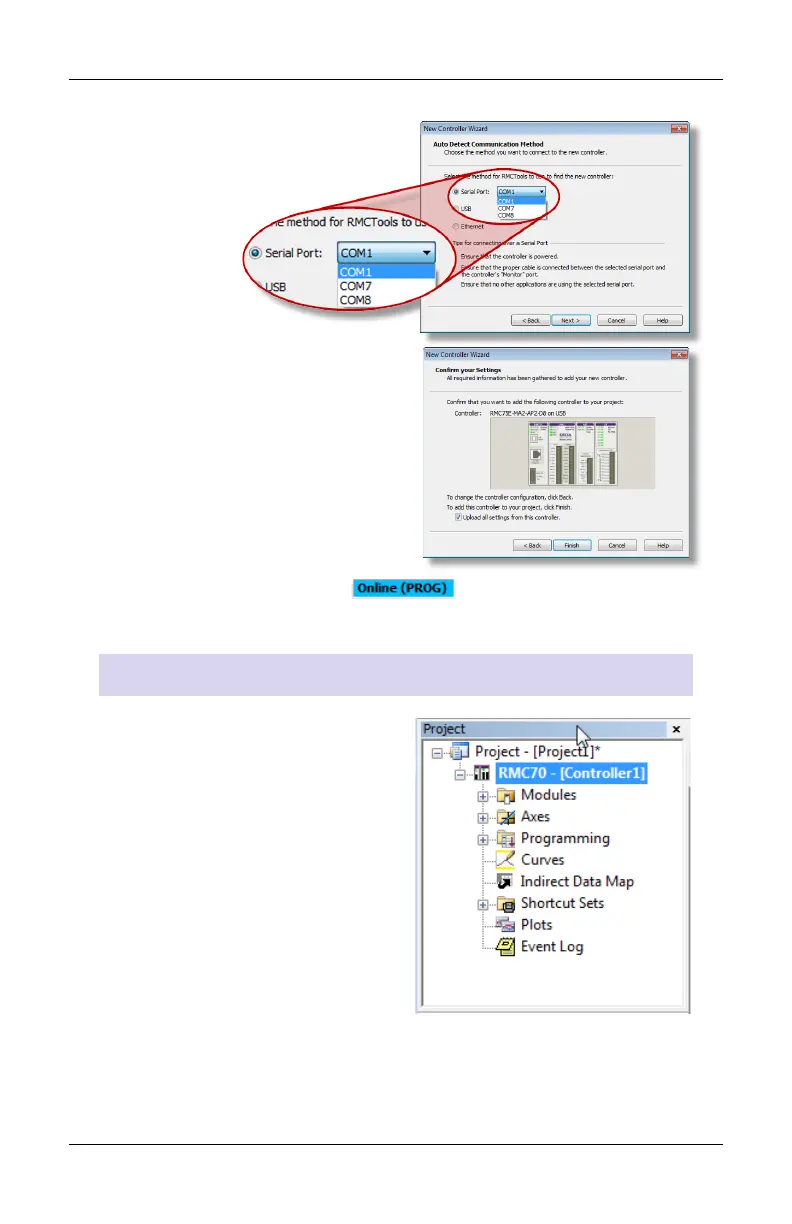
RMC75S or RMC75P:
Select the serial port and click
Next.
6. RMCTools will connect to the
RMC and display it.
Verify it is correct, then click
Finish.
7. The toolbar now displays . This means RMCTools is
communicating with the controller.
Project Pane
The project pane contains all the
items in the project. Use the
Project pane to navigate through
the entire project.



 To Next Page