Chapter 8 Optional Cards |CFP2000 Series
8-14
Environment
Noise immunity
ESD(IEC 61800-5-1,IEC 6100-4-2)
EFT(IEC 61800-5-1,IEC 6100-4-4)
Surge Teat(IEC 61800-5-1,IEC 6100-4-5)
Conducted Susceptibility Test(IEC 61800-5-1,IEC 6100-4-6)
Operation /storage
Operation: -10ºC ~ 50ºC (temperature), 90% (humidity)
Storage: -25ºC ~ 70ºC (temperature), 95% (humidity)
Shock / vibration
resistance
International standards: IEC61131-2, IEC68-2-6 (TEST Fc)/IEC61131-2 & IEC
68-2-27 (TEST Ea)
Installation
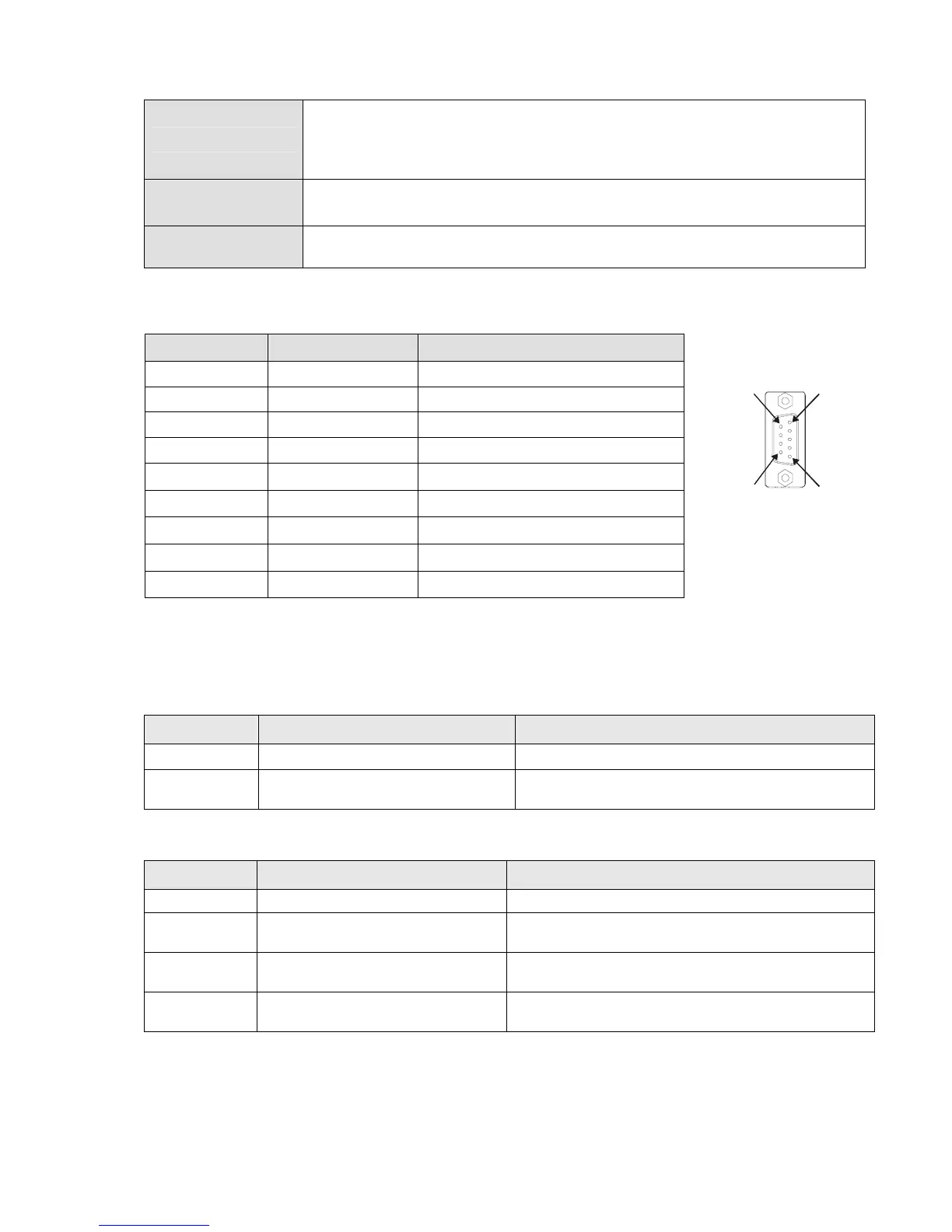
PROFIBUS DP Connector
PIN PIN name Definition
16
5
9
1 - Not defined
2 - Not defined
3 Rxd/Txd-P Sending/receiving data P(B)
4 - Not defined
5 DGND Data reference ground
6 VP Power voltage – positive
7 - Not defined
8 Rxd/Txd-N Sending/receiving data N(A)
9 - Not defined
LED Indicator & Troubleshooting
There are 2 LED indicators on CMC-PD01. POWER LED displays the status of the working
power. NET LED displays the connection status of the communication.
POWER LED
LED status Indication
How to correct it?
Green light on Power supply in normal status. --
Off No power
Check if the connection between CMC-PD01 and AC
motor drive is normal.
NET LED
LED status Indication
How to correct it?
Green light on Normal status --
Red light on
CMC-PD01 is not connected to
PROFIBUS DP bus.
Connect CMC-PD01 to PROFIBUS DP bus.
Red light
flashes
Invalid PROFIBUS communication
address
Set the PROFIBUS address of CMC-PD01 between 1 ~
125 (decimal)
Orange light
flashes
CMC-PD01 fails to communication
with AC motor drive.
Switch off the power and check whether CMC-PD01 is
correctly and normally connected to AC motor drive.




 To Next Page