User's Manual - 9
● PTZ Support
● Snapshot / Export Media
● Digital zoom Video Control
● VIVOCloud for effortless access from cell phones using a QR code
● Terminal block pins for DI/DO connection.
● Configuration Backup / Restore
● Compatible with VIVOTEK VSS Central Management Software*
● Integration with VIVOTEK Network Cameras
● VIVOTEK iViewer Support (iOS/Android cellphone/hand-held devices)
*The VIVOTEK VSS Central Management Software is not included in the package.
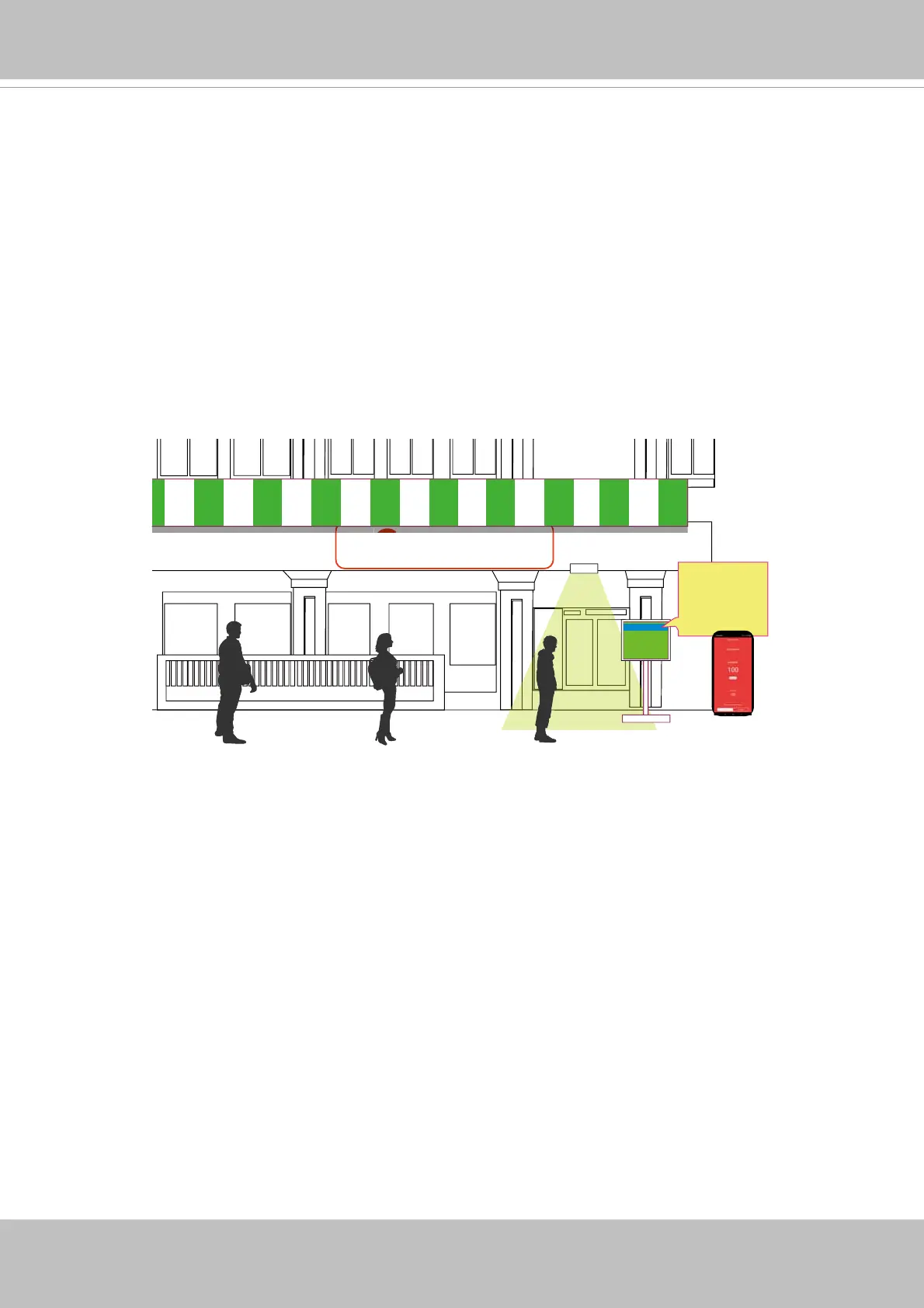
Facing the pandemic outbreak of coronavirus, many governments imposed social distancing
methods to reduce the risk of contraction. One method is to control the number of visitors inside
a building while allowing people to work or purchase the necessities. Using the 3D people
counting cameras at the entrance and exit of a facility, the current occupancy number can be
displayed at the store front.
You can configure an occupancy limit and display the message when the limit is reached.
Instead of having a secuirty personnel to count the number, the solution can help control the
customer traffi c.
3D counting camera
35 / 50
CURRENT ALLOWED
SPACIOUS
SPACIOUS
CROWDED
FULL
The solution enables the following:
• Accurate counting of people entering or leaving a facility.
• Displays the occupancy number on an HDMI monitor.
• Business owners can transfer the solution into VIVOCloud Retail solution when social
distancing becomes unnecessary.
• Notifi cation to cell phone app via the VIVOCloud utility.
The NVR can be part of a Social Distancing solution. Below is a short introduction.



 To Next Page