8.5.11 Replacing the contactor on the control card
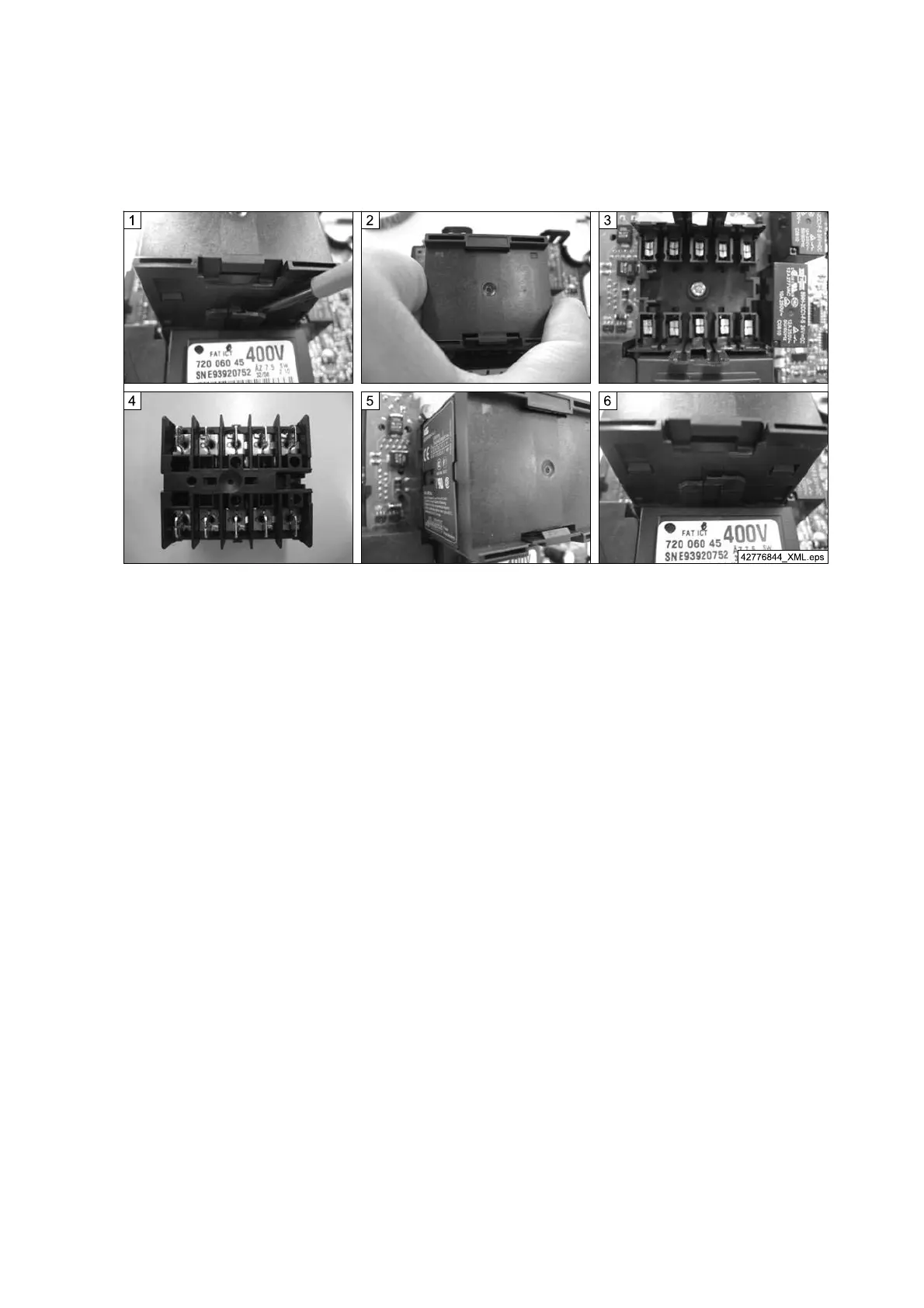
Fig. 69
1. Carefully unlock the locking arms on both sides of the contactor using a screwdriver.
2. Pull off the contactor.
3. Contactor socket without contactor
4. Lower side of the contactor
5. The spare contactor can only be inserted in the socket in one position.
6. Press contactor onto the contactor socket until both locking arms latch into place.
98
21480244/181209



 To Next Page