46
6.1.1
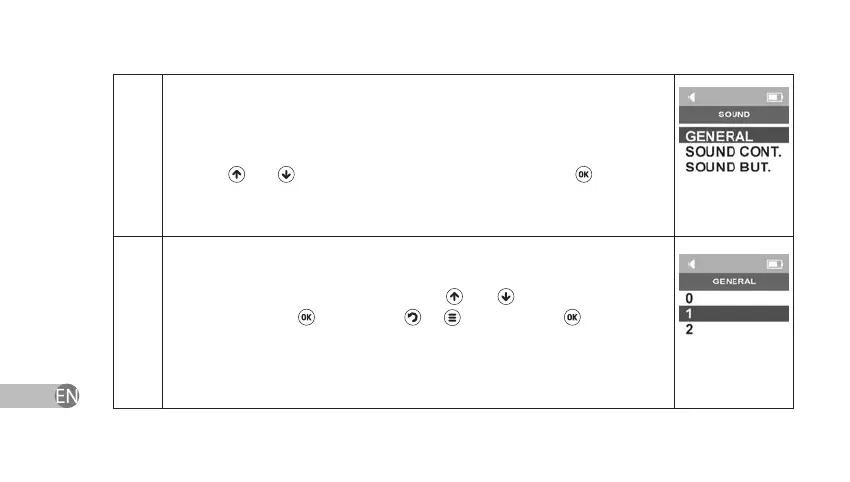
The device will show Sound Settings Menu: general device sound, skin
contact sound, key pressing sound. Select one of the changeable parameters
by using and keys and conrm your choice by pressing .
6.1.1.1
The device has three volume levels for adjusting the general device sound:
mute, minimal and maximal levels indicated as 0, 1 and 2 correspondently.
Select one of the volume levels by using
and keys and conrm your
choice by pressing
. If you press
or key instead of key or if you
power o the device, Sound settings will return to earlier saved settings.
Attention! The volume of sound signals depends on the set volume level. If Mute
level is set there will be no sound signals.


 To Next Page